Last time in Part 1, I discussed a little about how Artificial Intelligence (AI) is becoming an increasingly common tool among fan filmmakers—especially Star Wars but also Star Trek and other genres—and I provided links to some recent examples in the Trek realm. Then I moved onto how MARK NACCARATO, who is finishing up work on the sequel to THE ROMULAN WAR, PART I and also releasing some new short films in the NX-era, asked me to help him create a still image of a young T’Pau giving a speech to the Vulcan Council.
Looking at an overwhelming amount of work in Photoshop, I asked Mark if he’d mind if I used AI to create the image. He was fine with the idea, and ultimately I was able to create not just a still image to go under a voice-over narration but an actual 13-second video of part of her speech. Take a look…
Although I had used AI two years ago to generate AI voices for Spock and Dr. McCoy for my animated fan film AN ABSENT FRIEND, and I had created some Facebook memes and some short music clips with AI tools previously, this was the first time that I’d used AI to generate a video from an AI still image. And it was a lot of fun!
It was also an amazing learning experience, and I wanted to learn more. There’s nothing like having a project to focus your efforts, and so I asked Mark if he had any other clips that he’d like to try to create using AI. I was certainly game!
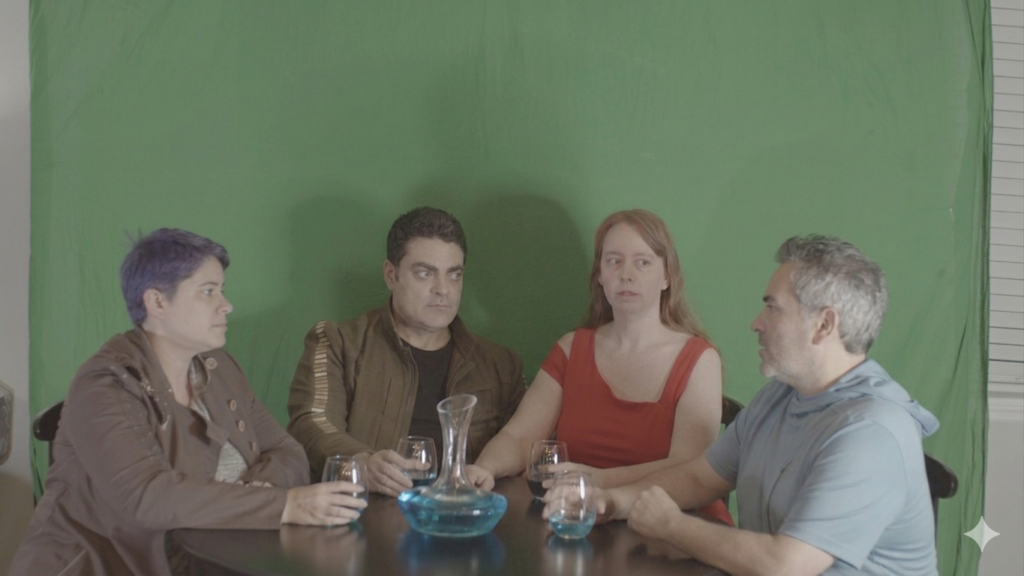
Mark’s next request was simply for a still image. Four fans had gotten together to stage a “toast” in front of a green screen. Here’s a still image of them…
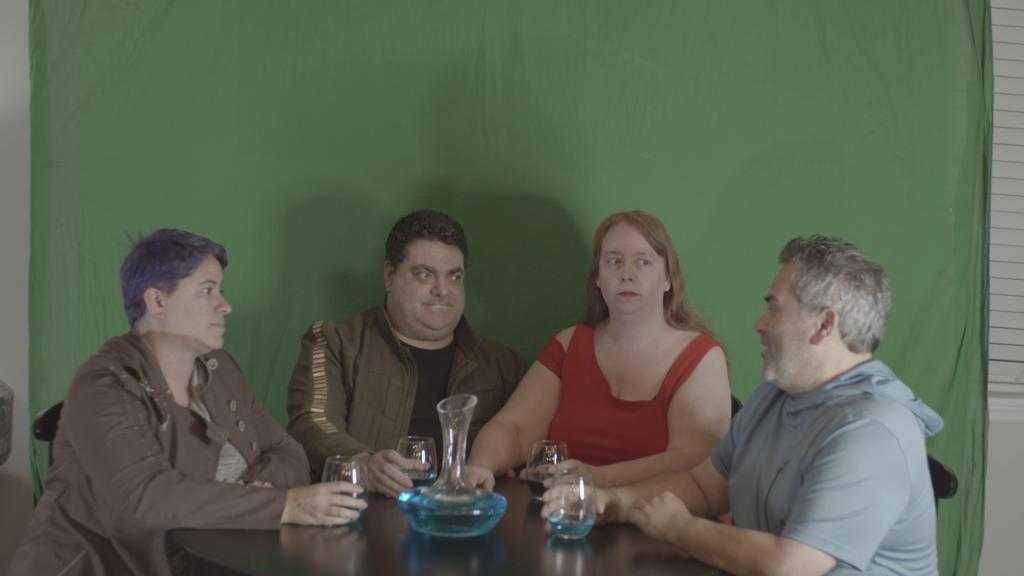
My mission, should I choose to accept it (and, of course, I did!), was to do the following:
- Put all four of these fans into NX-era Starfleet uniforms like those from Enterprise.
- Trim them down a little to look more like physically fit Starfleet officers.
- Change the blue Romulan Ale to just beer (as this was taking place during the Romulan War—the Romulans were still mysterious—so Romulan Ale wouldn’t be an Earth beverage at the time).
- Have them sitting in the 602 Club (from the Enterprise episode “First Flight”), and Mark supplied me with some reference photos…
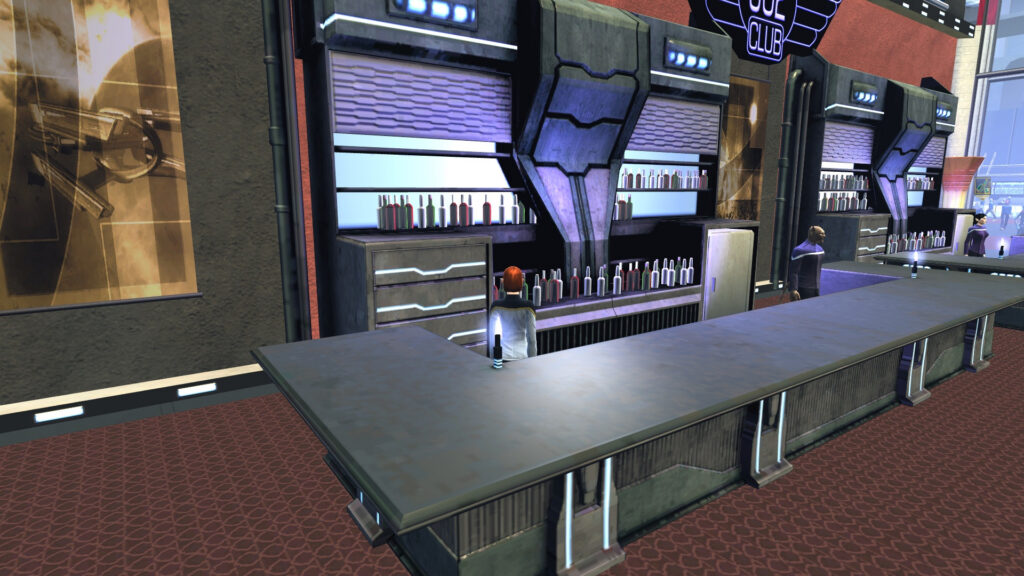
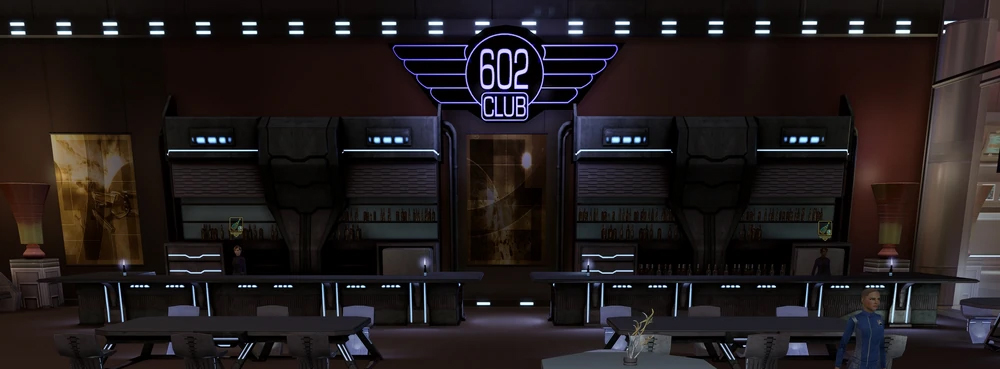
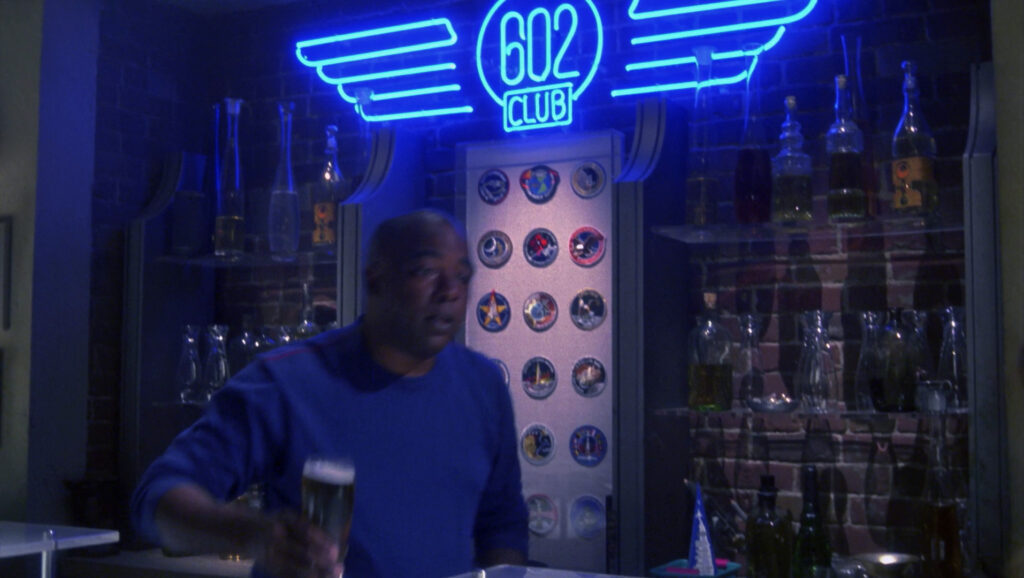
There was a LOT to do to get from there to here with what I needed to change on the initial photo. With so many tasks on the list, I thought it might be best to tackle them one at a time. That way, the AI of Google Gemini could build on each new successful iteration.
Below are the text prompts that I used and the results I got from them. And, yes, you can make fun of me for actually saying “please” to the AI interface. But I suspect I’ll have the last laugh when the robot overlords eventually take over the planet and they’re nicer to those of us who were more polite to our AI apps.
Anyway, after uploading the original photo of the four fans around the table, I provided the following prompt:
Can you make these people look thinner?
And here’s what I got…
Most impressive! Okay, time to dress them in NX-era Starfleet uniforms. So I uploaded this graphic that I got off of the Internet to provide some reference…
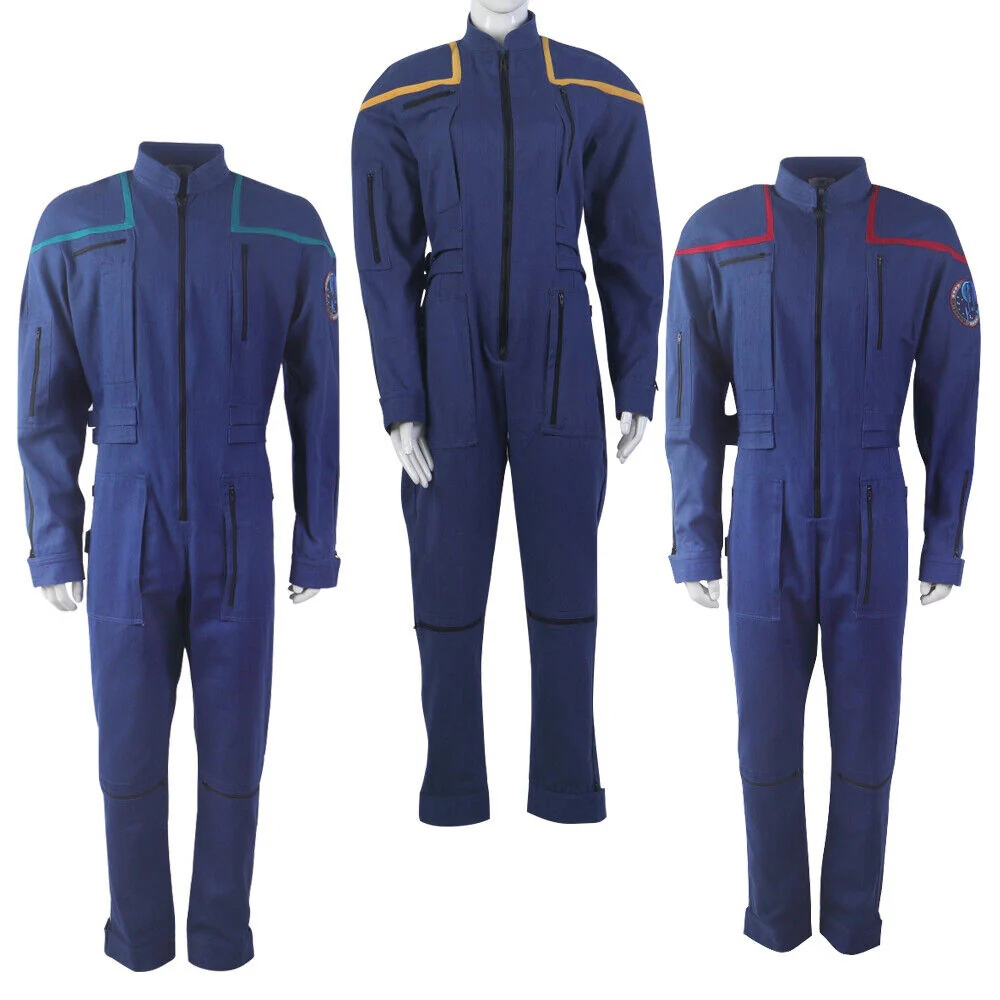
This was my next prompt:
Now can you dress them all in these uniforms from Star Trek: Enterprise?
And I got this result…
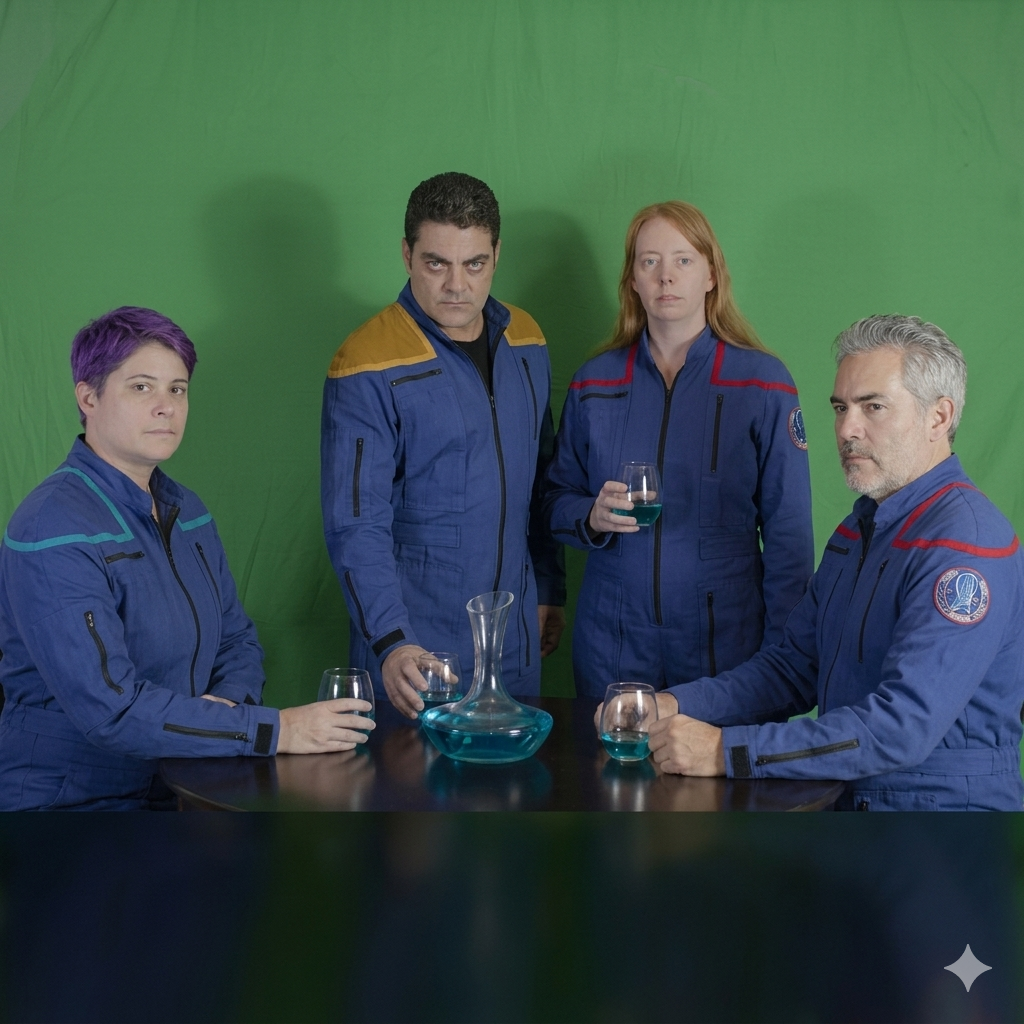
AI often produces unexpected and occasionally strange results. In this case, without being prompted, it changed two of the four people from sitting to standing. I assume the reason was because the new reference image I uploaded showed full uniforms in a standing position, so maybe Gemini thought that was what I wanted and decided to split the difference, keeping two people seated and making two of them stand. I was also surprised that Gemini had taken the initiative to now have all four people looking slightly and/or directly at the camera.
And of course, it’s pretty obvious that the guy in the gold stripes had issues with his shoulder color. I really have no idea why Gemini did that, but when it comes to AI, one must be supremely patient. I typed in the following prompt to try to fix the issues before moving things forward to the next step…
Please adjust the shoulders of the man standing so that they are yellow stripes with blue on the shoulders to match the other uniforms. Also, please make the four people look even thinner and in better healthy shape. Oh, and change the drinks to beers for each of them.
You’ll notice that I started “over-explaining” things. Rather than just saying “match the shoulders to the uniforms in the reference photos,” I very specifically pointed out the problem and how I wanted it fixed (yellow stripes with blue on the shoulders). And for the next sentence, I wrote more than just “make them thinner” and added “…in better healthy shape.” The elaboration might ultimately have proven to be unnecessary, but I had nothing to lose by over-communicating what I wanted. Here was the next result…
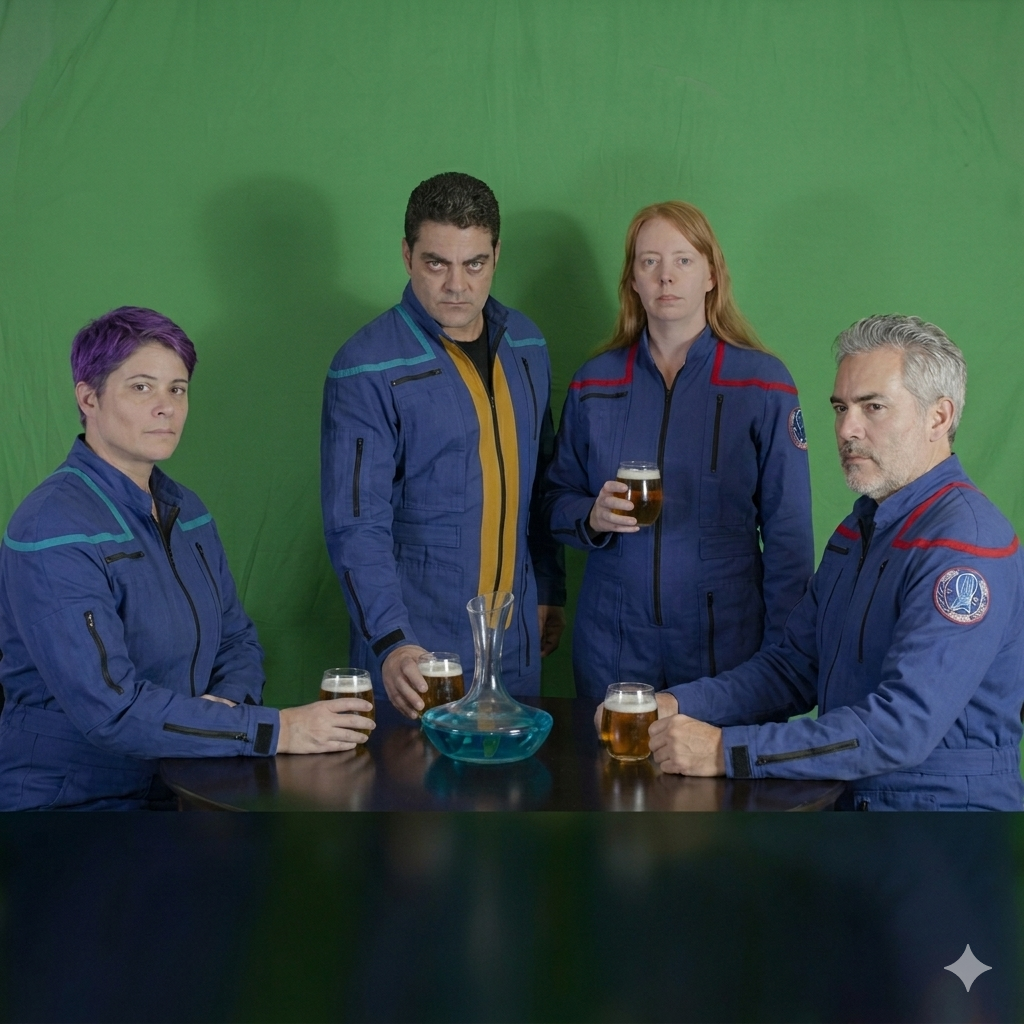
Oh, AI, you mischievous little minx!
Like the genie who grants you exactly what you wished for rather than what you actually meant, Gemini took some liberties. Yes, the AI made the standing guy’s uniform match the others in removing the yellow shoulders, but remember that i said, “yellow stripes with blue on the shoulders.” YOU know what I meant: “keep the stripes yellow but change the area above the stripes on the shoulders from yellow to blue.” But all Gemini saw was that I wanted yellow stripes and I wanted blue on the shoulders. So it turned the yellow stripes from the previous image to blue stripes and then added new yellow stripes down on either side of his central zipper. Totally my fault that AI got it wrong. Also, I only asked for the drinks to be beer but not the decanter that was holding refills. Shame on me!
Time to fix this, and so I entered the following prompt, taking much greater pains to ask myself “what might Gemini misunderstand?” and then writing even more carefully and exactly what I wanted…
Please remove the vertical yellow stripes from the man who is standing. He should simply have a black sipper like the others. But make the stripes on his shoulders yellow and not blue. Change the bottle with the blue liquid in it to a large, half-filled pitcher of beer.
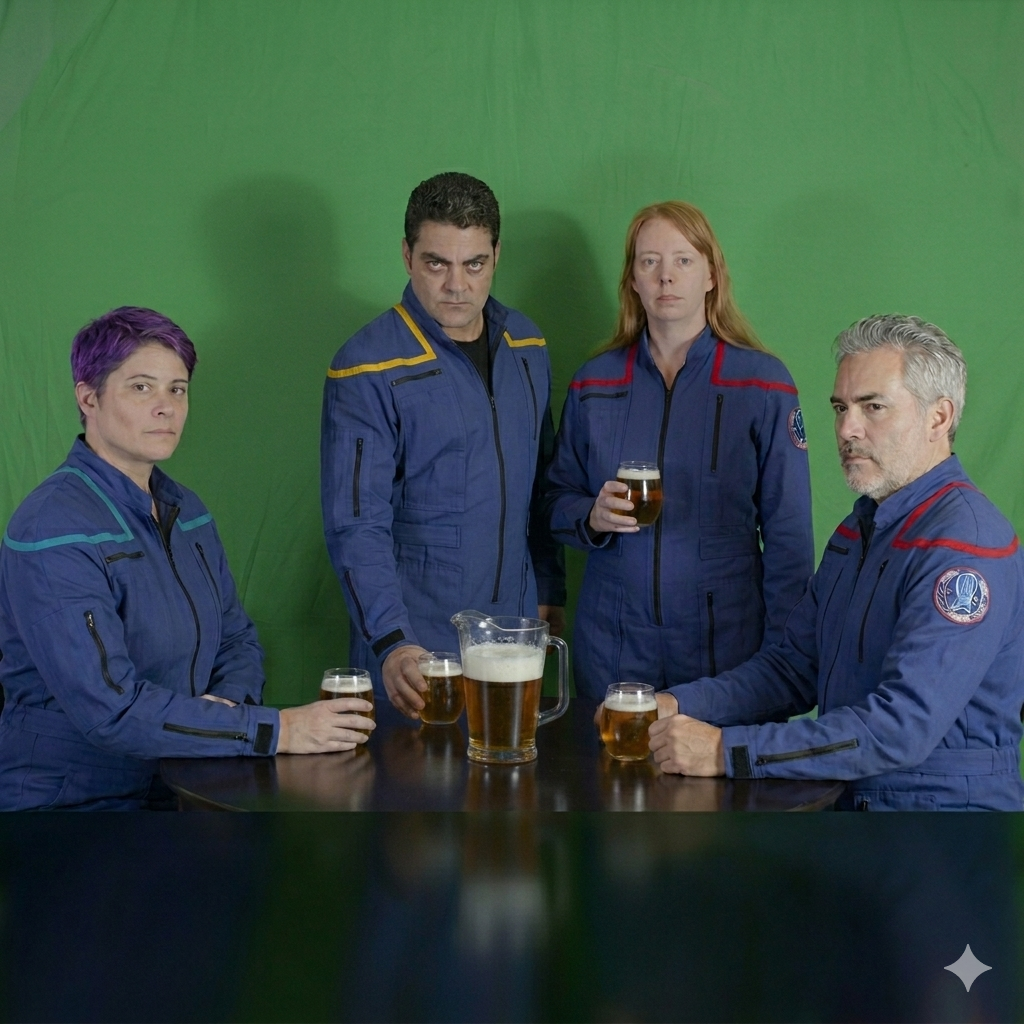
BINGO! Next prompt:
Please make them all look a little but happier.
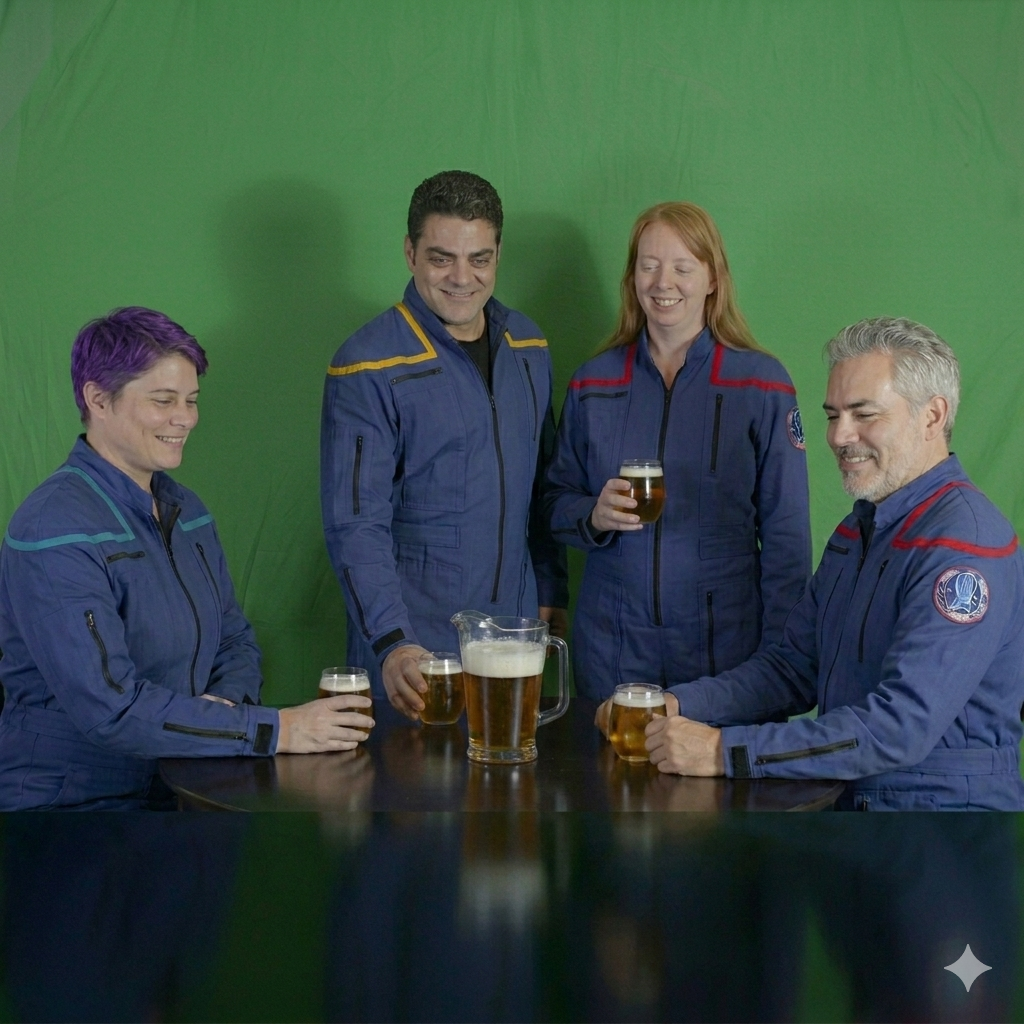
Intriguingly, Gemini spontaneously (without being prompted) decided to change the direction of their gazes from looking at the camera to looking at the beer…and I have absolutely no clue as to why! Also, notice that I misspelled “bit” as “but” in my prompt. AI seems to generally ignore typos if you’re pretty clear about what you’re looking for (I also misspelled “zipper” in the previous prompt—did you catch that?). Anyway, now that these four people looked correct, it was now time to move them from standing in front of a green screen to sitting in the 602 Club lounge. So I uploaded the reference images (six in all) and typed in this prompt…
These are all images of the 602 Club from Star Trek Enterprise. Please take the four people from the previous image and place them inside of the 602 Club.
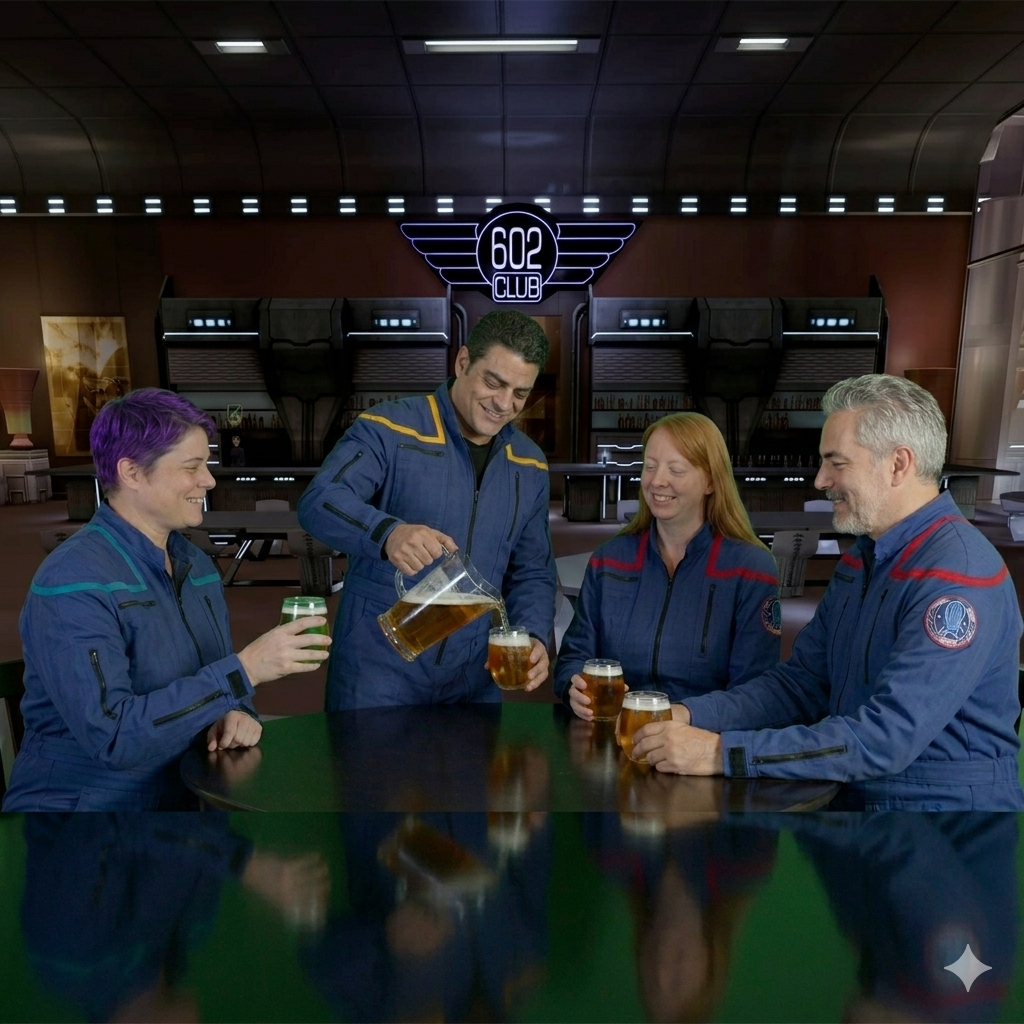
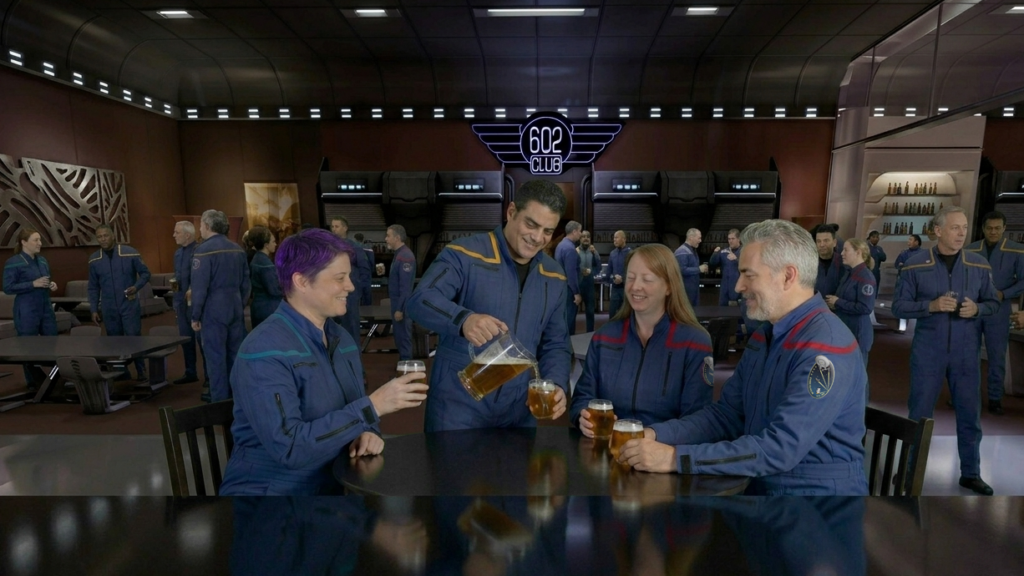
Nice! And again, without being asked to, Gemini decided to return the woman with the long straight hair to a seated position and have the standing guy pouring himself the final beer. And now they’re all looking at the pour. I kinda liked it, and the background looked especially good. Nearly there! Keeping in mind that this was going to be placed into a horizontally-oriented YouTube video, I typed in:
Can you please render the above image in a 16×9 aspect ratio?
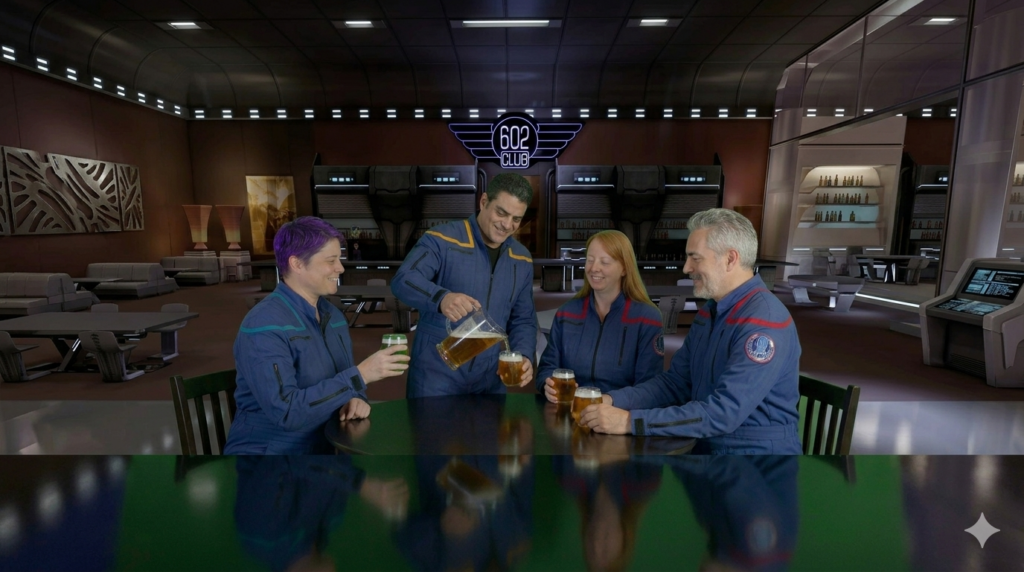
Okay, just a few more things to tweak…
Zoom in on the four people a bit, showing slightly less background. Also, please fill the 602 club with other people dressed similarly in Starfleet uniforms from Star Trek Enterprise. And finally, remove the greenish reflection from the horizontal tabletop surfaces.
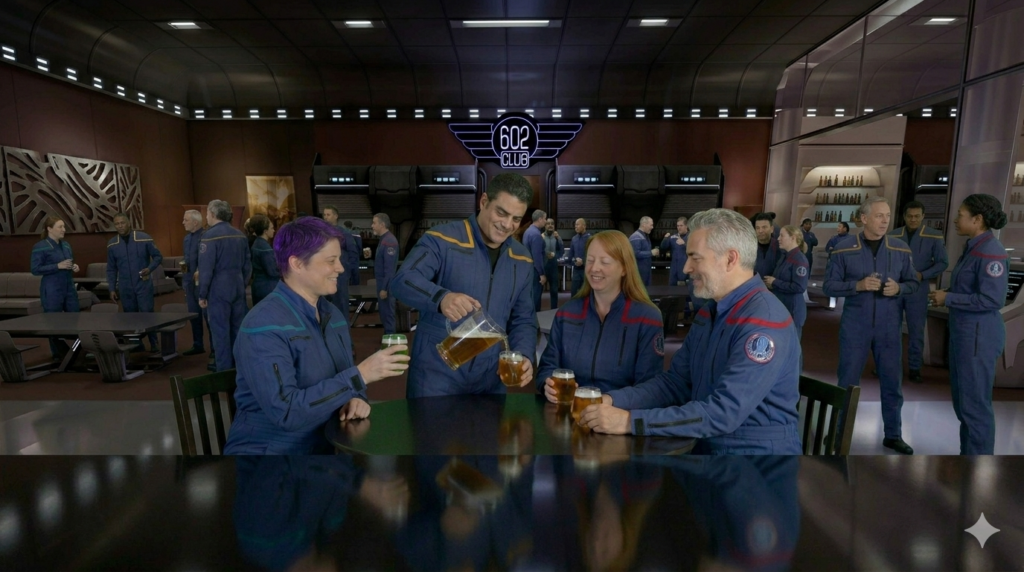
Well, two out of three ain’t bad. The framing remained the same…no zooming in. But lots of officers scattered around the background? Check. Removal of the green in the reflection? Kinda check. There was still some green reflection on the smaller table, but I could fix that in Photoshop—and I did, along with removing the greenish tinge from the hair of the strawberry blonde. And I was easily able to crop the image little tighter myself, which had the added benefit of removing the Gemini watermark (the gray star) from the bottom right.
This entire process took me maybe half an hour—most of that waiting for the renders, which each take a minute or two (which is itself amazing!). I e-mailed the image to Mark along with the following message:
No, seriously, give me something challenging. 🙂
I can animate it, if you’d like. I can also change the arm patches to any design you provide…
Mark’s response:
Wait.. what?!
Well now I feel stupid. I thought what I was asking you to do was a much heavier lift, but apparently I am even worse at Photoshop and AI than previous estimates indicated. This looks great.
So since you’re offering, yes I will pull together a patch design and get that to you asap.
And while I’m at it, I’ll just go ahead and ask (though this is probably a question I need to ask ChatGPT as well)… is there a way to keep the background and uniforms while they talk and deliver dialogue? Maybe even the dialogue they used on the original footage? I will go ahead and assume that will require multiple steps and programs/apps, but figured I’d pick your brain on it.
Mark emailed me the patch he wanted to use, since these officers were assigned to the U.S.S. Endeavor and not the Enterprise.
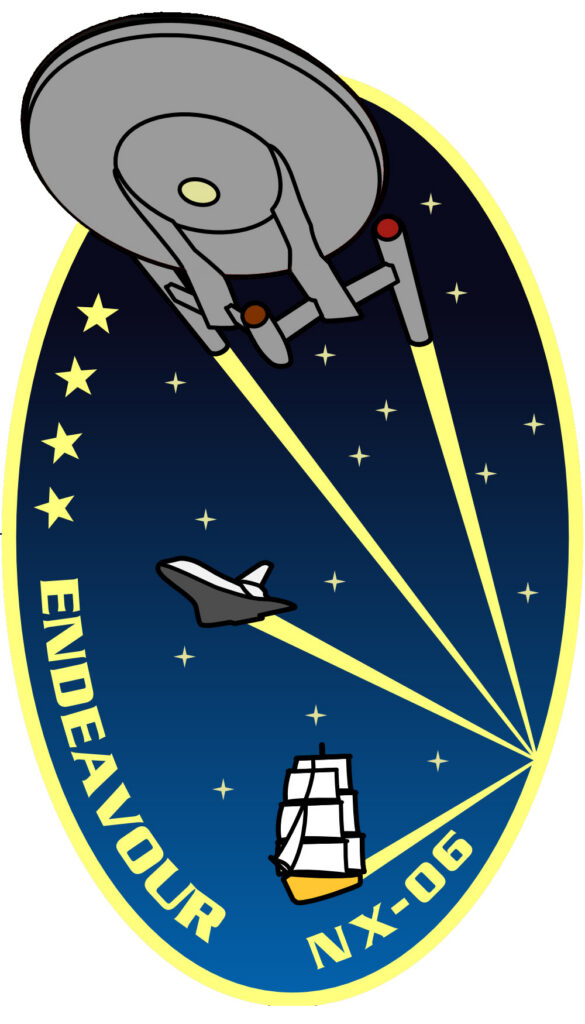
So with just one more minor adjustment, I would have the exact photo I needed from Gemini. I uploaded the patch graphic (above) and typed in the following simple prompt…
Please replace the patch that is on the left shoulder of the uniform with a patch that instead looks like the attached image.
And here’s what I got back…
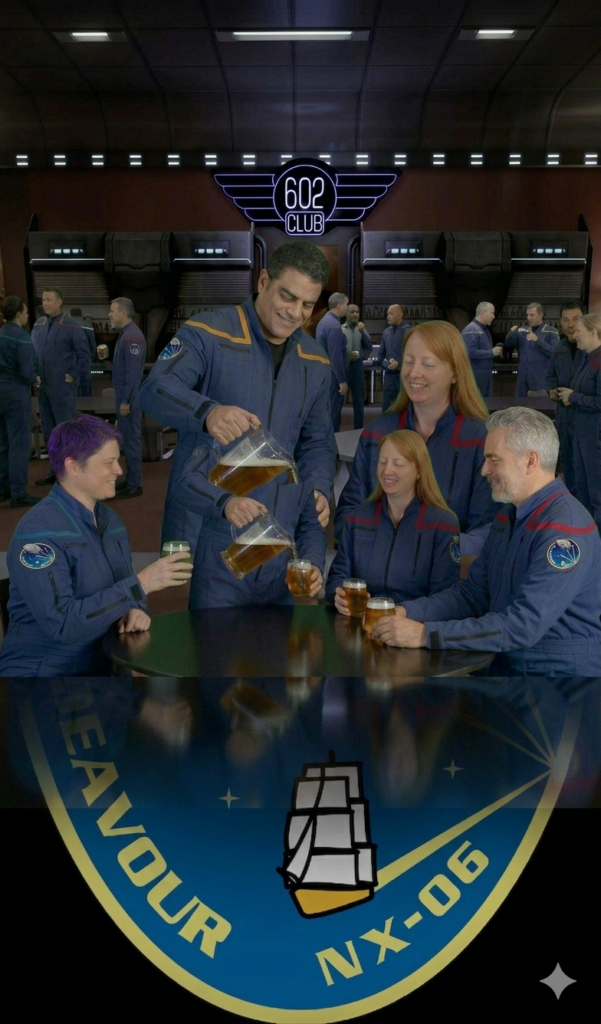
WTF happened??? Seriously, that is the graphic Gemini spit back out at me. I mean, at least it did change the shoulder patches…although they were circular and not ovals and were now on both the left and right sleeves. I had a moment of exasperation as I wondering how to write prompts to get me out of this mess. Then I decided that the tweak was minor enough for me to just do myself in Photoshop. And indeed, I was starting to realize that the occasional manual Photoshop correction might often be the fastest solution to an AI rendering problem—rather than trying to write/prompt your way out of it.
So I went into Photoshop and swapped out the patches myself, keeping the tighter cropping. And while I was there, I also removed lingering greenish reflection on the table and in the strawberry blonde’s hair. This was my final Photoshopped still image…
Meanwhile, about a half hour later, Mark sent over a link to the fans’ entire toasting video clip…
Time to return to Grok. I had now discovered that you could choose to generate either a 6-second or 10-second clip. I would later discover that a user could “extend” a Grok-generated clip to be even longer than 10 seconds, but I didn’t know that just yet. However, simply discovering the 10-second option seemed like divine providence to someone who was struggling to fit his T’Pau speech into just 6 seconds!
With the above still image uploaded to Grok, I typed in the following prompt…
Create a 10-second video of the person standing pouring the final beer and then the four people at the table making a toast. The toast is being started by the woman sitting on the right. She lifts her glass and says, “To giving those Romulan bastards hell.” And then the rest of the team raises their glasses, as well, and toast as one, “To giving them hell!” There is no other dialog before the toast, but there is ambient background noise inside the club.
Now, before you watch the video clip that was generated, try to imagine what could possibly go wrong with those instructions I just wrote. It really does seem I thought of everything, doesn’t it? Well, take a look at what I got..
That guy with the pitcher sure does love beer!!! And what the heck happened to his glass halfway through the video? He’s a wizard, he is! Oh, well. We all know that AI isn’t perfect, and we need to be patient and understanding. After all, this was only the first attempt. I could fix this with a better, more thorough prompt. Also, I decided to try to “direct” the actors a little by keeping them happy and optimistic but dialing back their enthusiasm just a bit. Here’s what became my final prompt for this clip…
Create a 10 second video of the person standing pouring the final beer and then the four people at the table making a toast. The toast is being started by the woman sitting on the right. She lifts her glass and says, “To giving those Romulan bastards hell.” And then the rest of the team raises their glasses, as well, and toast as one, “To giving them hell!” There is no other dialog before the toast, but there is ambient background noise inside the club. The four officers are enthusiastic about their upcoming mission but still a little nervous becuase they will be heading into battle. Make sure all four of these people are drinking from their glasses. The person holding the pitcher puts it down on the table first before picking up his glass.
I’ll take it! Granted, there isn’t really any ambient noise in the room, but that can always be added later by Mark during the editing process. And speaking of Mark, he was suitably impressed. He asked if I’d consider tackling another series of clips, this time of Captain Aaron Stiles of the U.S.S. Challenger NX-03. I was thrilled to take on another challenge!
Little did I realize that the time and number of renderings I would have to do in Grok was going to increase about a hundredfold!
Come back next time for the third installment of this AI journey as I focus on a video challenge that couldn’t be solved by simply writing better prompts. But it nevertheless resulted in what I believe is an absolute game-changer of a scene for Star Trek fan films.