Last time, I showed you all how I was able to use Artificial intelligence (AI) to turn this…
into this…
And this…
into this…
Both of these video segments are intended for a short Star Trek fan film in THE ROMULAN WAR: WAR STORIES series tentatively titled “THE STILES FILES.” I offered to use AI to help showrunner MARK NACCARATO to create some brief video clips for this and assorted other related projects he’s working on. It’s a win-win for both of us, as he’ll get shots that he needs that likely couldn’t be created in any other way—while I’ll have an opportunity to learn some of the latest AI tools through directed tasks and problems to solve.
Actually, the above scenes with Captain Aaron Stiles of the USS Challenger NX-03 could very easily have been created without using AI. Actor BRIAN HOLLOWAY had already recorded his lines in uniform against a green screen, and many fan filmmakers have both the tools and the skills to composite him against a stationary background of the captain’s quarters or ready room screen cap from Star Trek: Enterprise. AI simply made the shots look more realistic in terms of costume and sets…and better lit, as well.
However, the other three shots that Mark asked for my help creating (and which I will show you presently) could absolutely, in no conceivable way, have been produced practically without tremendous time and financial resources—and perhaps not even then! With AI, however, I was able to generate each requested video clip in a matter of days for a combined AI cost of less than $100.
Keep in mind, though, that we were already spending a relatively small amount of money. I was using Google Gemini, which has a free version that allows you to generate up to 20 still images over a 24-hour period. And then I was using Grok to turn those images into videos. Grok offers a $30/month subscription that allows for a limited number of 720p resolution videos each day—the same resolution as those videos featured above. After you reach your maximum allotted daily allowance, the resolution of your Grok-generated videos drops to 480p until your meter resets. (I should mention that Google Gemini “outsources” its image generating tasks to another AI engine called Nano Banana, but that’s deeper into the weeds than most of my readers will need to know about.)
For the first of the three videos I describe below, I continued with the Gemini-to-Grok recipe. But then I ran into the limitations of 720p video and decided to take the plunge into Kling 3.0 and Kling Omni, allowing me to operate at a whole other level. And that, my friends, made all the difference in the universe!
Read on…
THE ENGINEERING TOUR
Let’s begin with a little background on Mark Naccarato’s project. As some Trek fans are aware, had Star Trek: Enterprise been renewed for a fifth season, actor JEFFREY COMBS’ character of the Andorian Commander Shran was going to be added to the NX-01 bridge crew as a regular or semi-regular “advisor” to Captain Archer. Mark felt that, as the Romulan War got underway, most of Starfleet’s NX fleet would likewise each have an Andorian advisor or tactical officer, beginning to bring the races of the Coalition of Planets together. As such, Captain Stiles would have an Andorian advisor of his own. Mark felt it might be more interesting to make this character a woman as a counterpoint to Shran.
My first assignment was to create a scene where Stiles is giving his new Andorian advisor a tour of the engineering deck of the Challenger. The scene would have a captain’s log or some other kind of voice-over, so no dialog would be required. All I needed to prep the AI engine was to make sure I had reference for what Captain Stiles looked like (which I did), create an Andorian female in an Andorian military uniform, find a decent image of engineering from ENT, and populate it with engineers. Easy-peasy? Well, not entirely…but definitely doable with a little work.
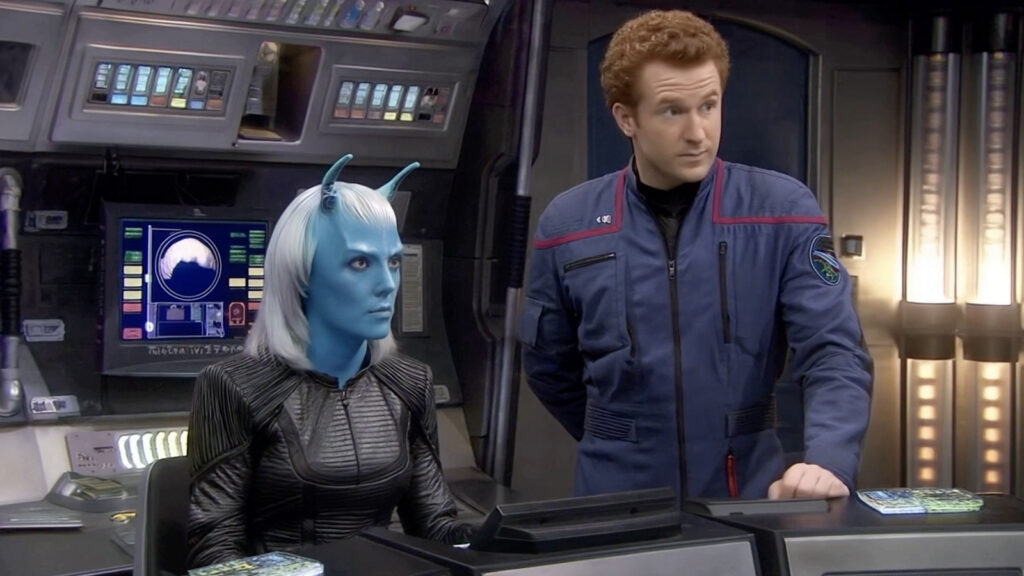
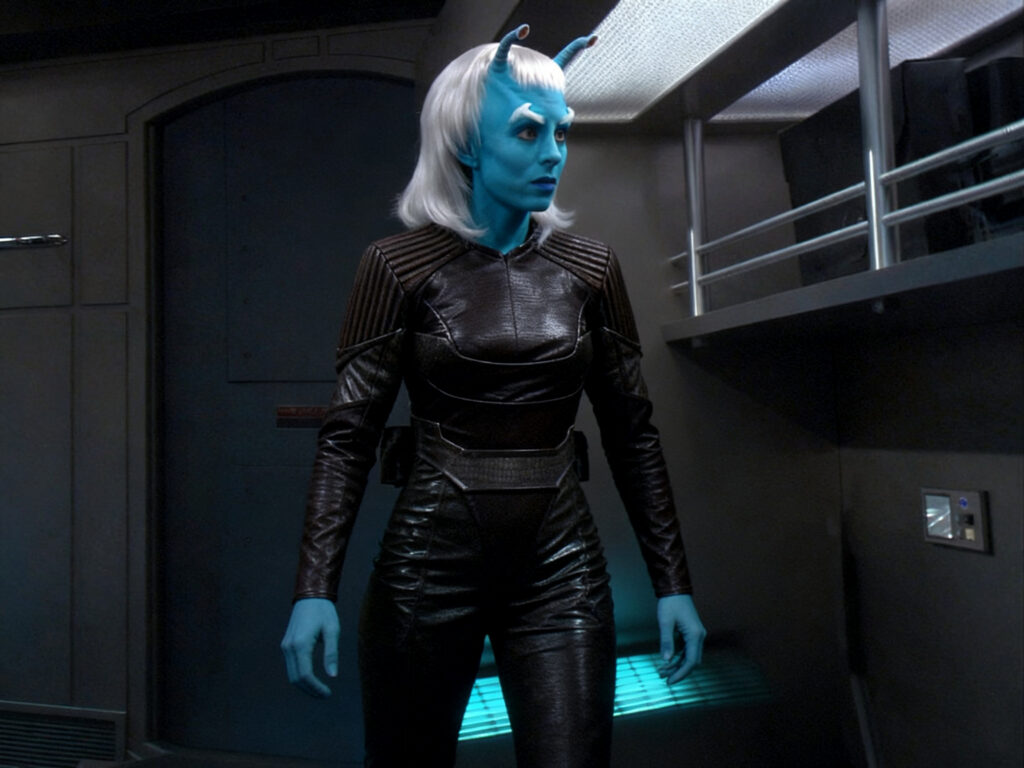
Mark wanted to make certain the Andorian uniform was accurate, so I had to find an Andorian female officer from ENT. I used a screen capture of Lieutenant Talas (Shran’s romantic interest from the season 4 episode “Babel One”) to generate this reference image for the AI, later changing the facial features so it wouldn’t be a duplicate of the same character (since Talas died in the next episode).
Next, I needed to supply AI with a decent shot of the engineering deck on an NX-class warp-5 starship. Fortunately, I was able to find this awesome photo that DOUG DREXLER (Senior Illustrator and CGI Designer on ENT) posted to the Internet…
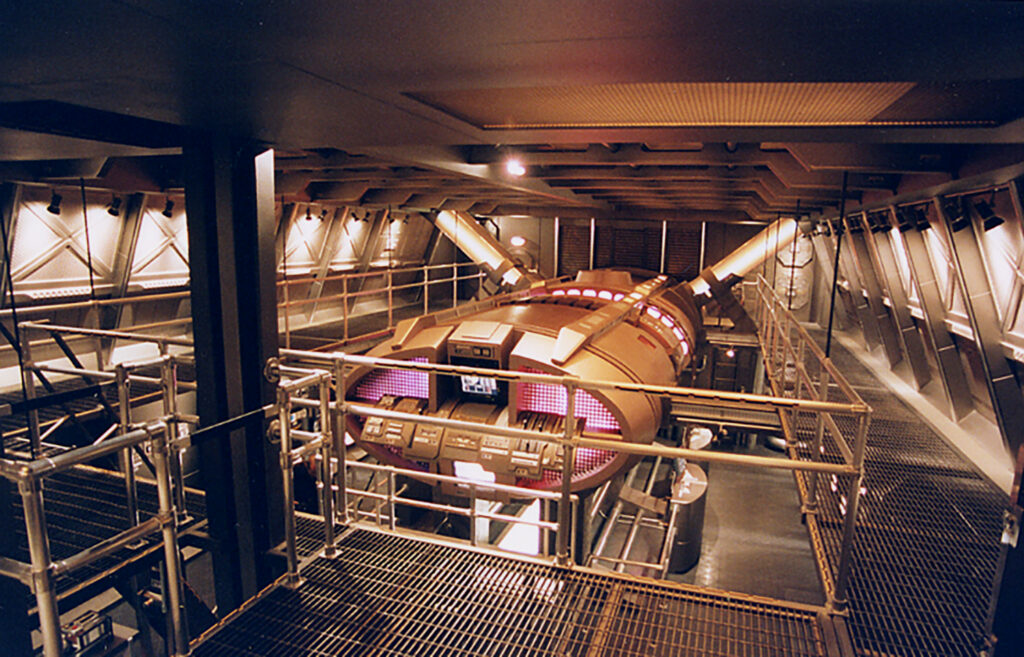
This allowed my brain to start planning the shot. Stiles and the Andorian would be walking along the top level while a flutter of engineers worked below. To help the AI visualize what those engineers would look like (mostly as guidance on size), I grabbed this screen cap from Trekcore.com from a similar overhead angle…
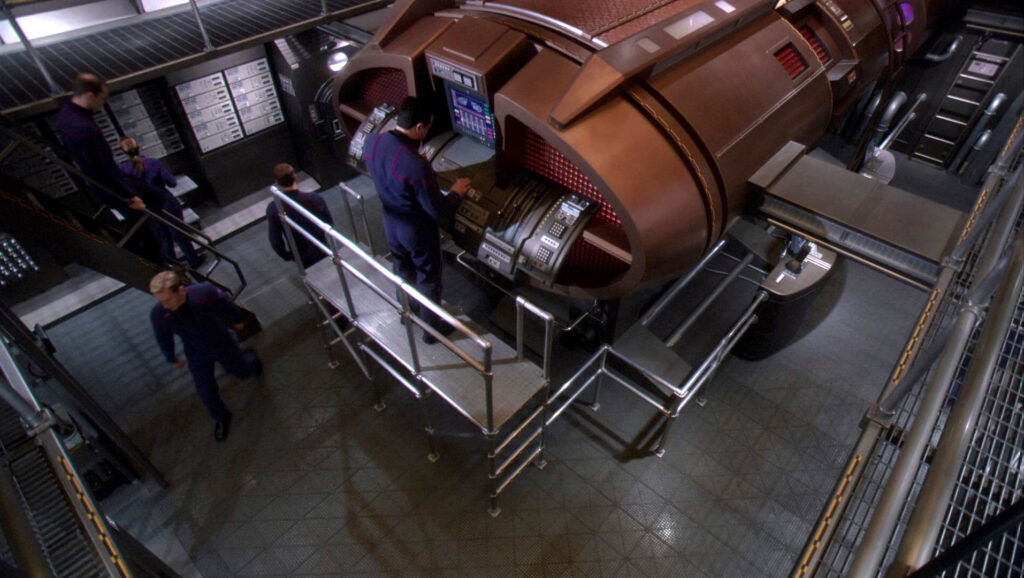
I won’t go into detail on the prompts I wrote but here is the final video sequence…
Looks pretty awesome, right? Well, that shot was EARNED! I can’t even count how many unusable renders Grok generated, and I didn’t bother saving any for posterity (Grok deletes any videos that aren’t immediately downloaded as soon you you close the browser window.) But among the crazier renderings Grok generated were ones where Stiles and the Andorian were walking in mid-air just to the left of the catwalk, several where her hand would pass through the railing rather than holding it or Stiles’ hand would phase through the wall on the right, ones where engineers would walk though each other or split into two engineers or combine into a single person, and a few where engineers would appear on the upper level and end up walking on top of the warp core! And with Grok allowing only about 20 renders per day at 720p resolution, getting a usable version of this video took me nearly half a week!
But honestly, it was totally worth it! I can’t think of any other way a Star Trek fan filmmaker could get a shot like that into their project. Model it in 3D with CGI characters? It’d take weeks or months and probably end up looking fake. Build your own set and populate it with extras in costume? Yeah, you and what Hollywood production studio!? Even though this shot required a few days, that’s basically peanuts to wind up with something that looks pretty close to realistic. Can you still tell it’s AI? Of course. But that’s not the point. It helps convey the story and looks more than decent enough not to distract.
THE BRIDGE
Okay, up until now, I was using Grok to generate all my videos, and it was doing a decent job. But my next assignment for Mark was going to prove to be my toughest challenge yet—and it pushed me to make the leap to Kling 3.0.
Mark wanted a scene of Captain Stiles on the bridge with his Andorian advisor at the tactical station (where Malcolm Reed sat on the NX-01). The challenge was that this wasn’t the NX-01, it was the NX-03, which would—one assumes—have those strange vertical columns with the annoying traveling lights on them like the USS Columbia NX-02 in the season four episode “Affliction”…
Fortunately, I had a beautifully-framed establishing shot of the entire bridge that I could start from. It was simple enough to have Gemini swap out the characters, placing Stiles in the captain’s chair and the Andorian woman at tactical. I also created a female first officer (a black woman with blond hair), a helmsman of Latino ethnicity—DEI makes a comeback, folks!—and because the bridge still looked a little sparse, a red-haired male engineer standing over the tactical station double-checking the readouts…
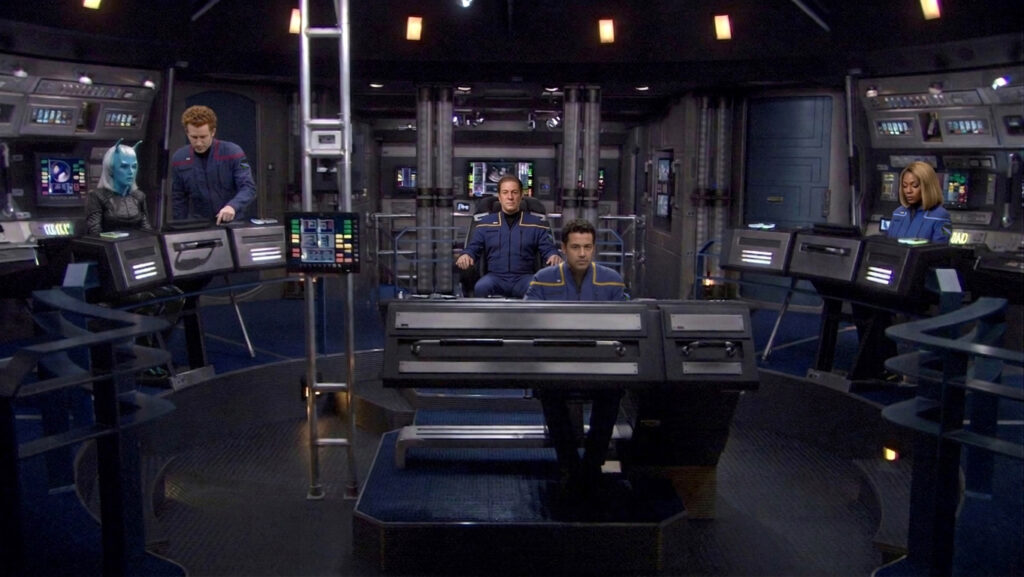
Let me just say for the record that being able to make changes like that in a matter of minutes (and just a few minutes) and have it come out looking that normal is nothing short of miraculous! Say what you want about the evils of AI, but stuff like this is one of the reasons it’s just not going away, folks.
Okay, So that was a decent enough start. But my next challenge was adding in the lights traveling up the vertical columns. Grok had no idea what I was talking about when I wrote my first few prompts, so I decided to help it along by showing it an example. Unfortunately, Grok doesn’t allow you to use a video as reference, so I took a second still image from the episode and uploaded it…
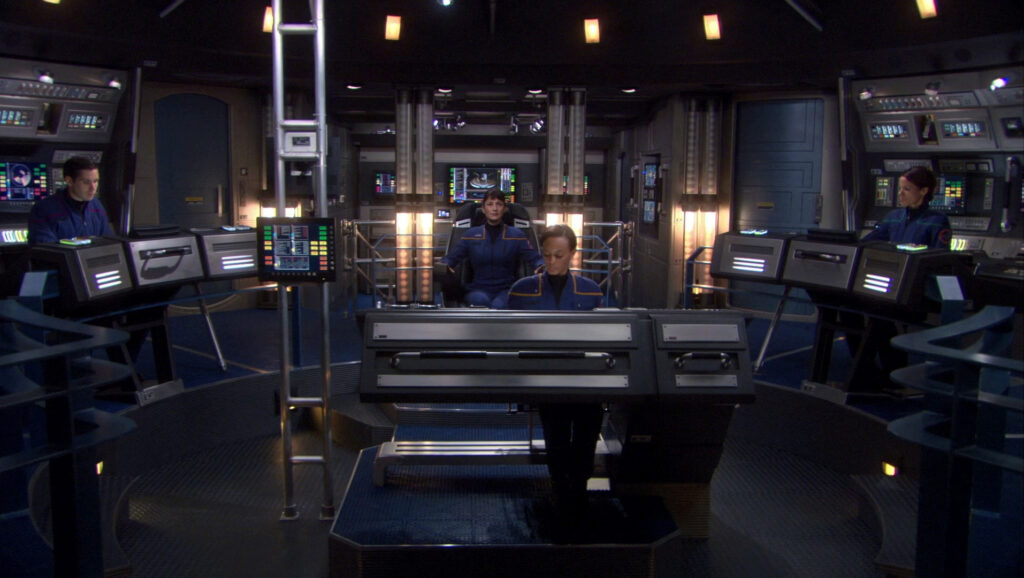
This ended up going horribly wrong. Although I explained to Grok that I wanted the characters in the first image to remain throughout the entire video rendering, Grok didn’t understand and morphed everyone from looking like their new characters into these original characters and still couldn’t figure out what I wanted those lights to do. This was gonna require some major extra work on my part!
So I generated a series of 15 still images of the lights traveling up the tubes. Then I swapped out (using Photoshop) the Columbia bridge crew for the Challenger bridge crew. The images ultimately looked like this…
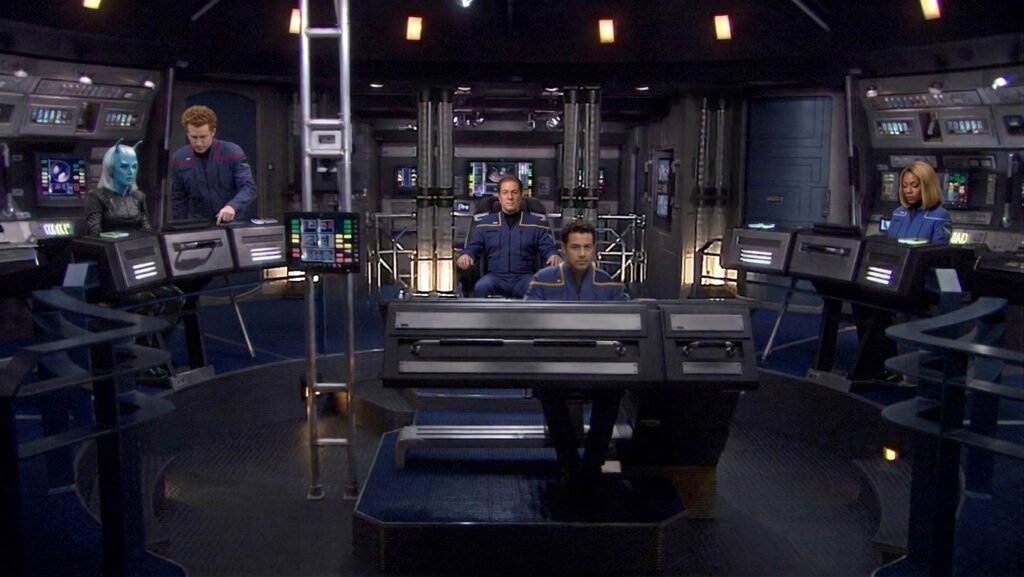
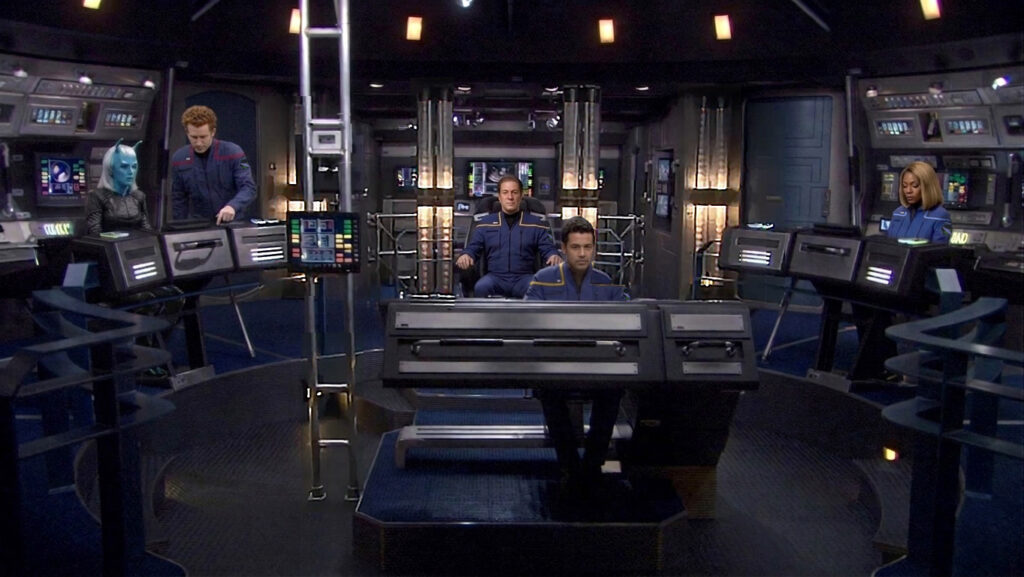
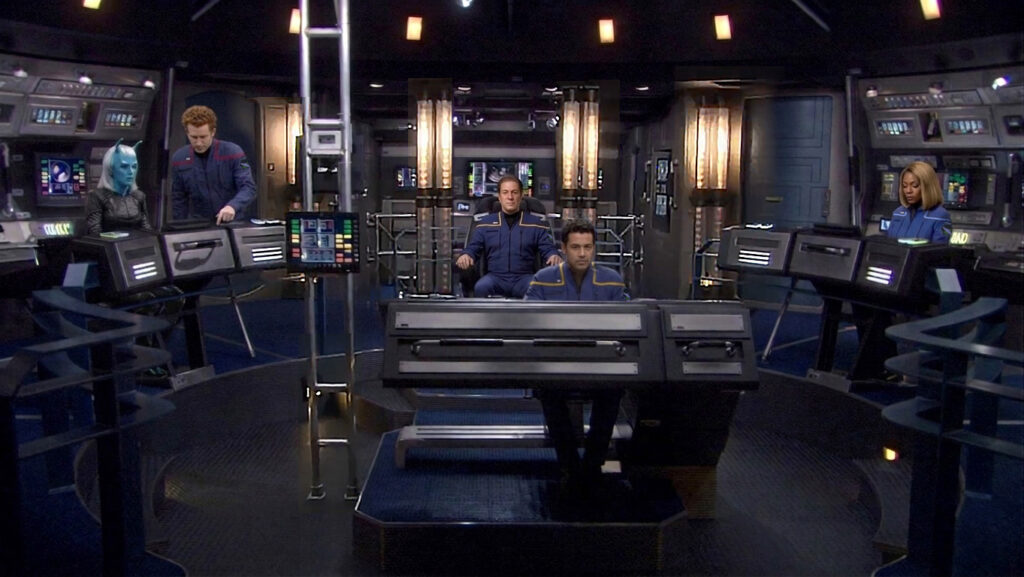
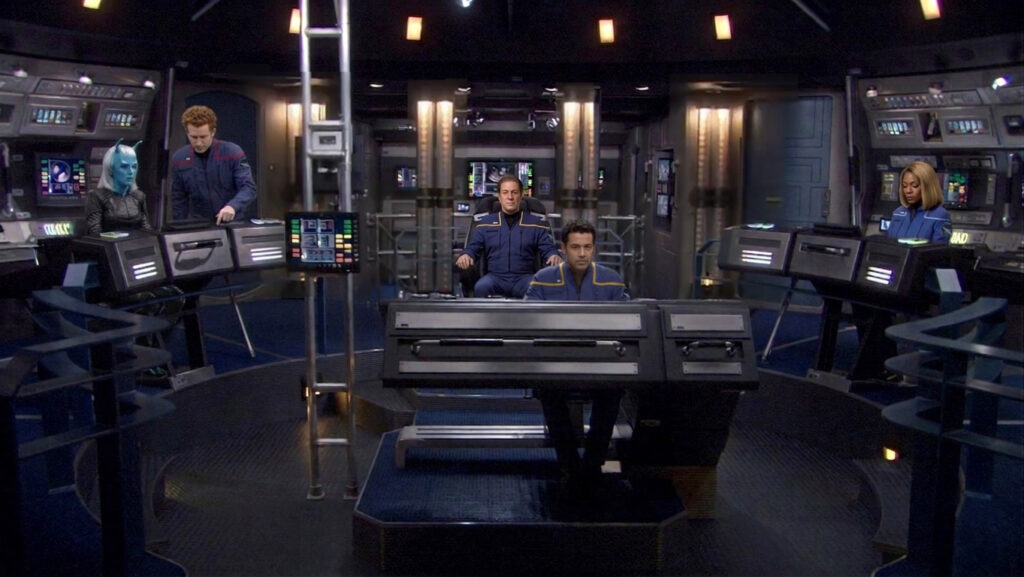
This ended up taking me a few hours to create fifteen reference images, but at least now Grok would understand what I wanted. Well, kinda. Two problems: first, Grok only allows a maximum of seven reference still images (so I wasted half my time and had to choose the best seven out of fifteen), and second, Grok still didn’t get it most of the time. Despite telling it that the lights go up, one cycle at a time, repeating every two seconds, I ended up getting renders like these…
Yeah, some very weird and trippy stuff happened! Eventually, I did get something that was mostly usable…
The problem, as I’m sure you can see, was the lip sync—or rather the lack of lip sync. And the wrong characters were saying some of the lines. But while Grok doesn’t have anything to fix lip sync on an existing video, Kling 3.0 does. In fact, there is even a special button that specifically says “Lip Sync.” Hooray!
The only problem is that I would now have to subscribe to a second generative AI video service (for either $8 or $30/month…or more). Oh, well, in for a nickel, in for a pound, right? And as an added benefit, Kling offers 1080p HD resolution videos, higher quality than Grok’s 720p. (It also offers 4K quality, but those renders get very expensive, eating up credits in huge bites.) I opted for the $30/month option, figuring I might switch over from Grok if I started getting comfortable with Kling.
Having now committed to using the new AI service, I soon discovered that I might have wasted my money. Y’see, lip sync requires a fairly large face for the algorithm to recognize, and these faces on the Challenger bridge in the wide shot were all too small for Kling to adjust or even, in some cases, recognize. You have to select the person who is supposed to be speaking a specific line. Kling found the faces of Stiles and the helm officer, but the blue skin of the Andorian threw it off. And in some renders, it was mixing up Stiles and the helm officer. Oh, it was a mess!
Just as I was about to give up, my friend ADAM “MOJO” LEBOWITZ (“the AI Whisperer”) suggested that I have Kling zoom in the characters. That way, their faces will be large enough to sync their voices when they speak their lines.
“Can it really do that?” I asked. “It’s a very wide shot of the entire bridge without a lot of close-up detail.”
“It should be able to,” Mojo replied. “Why not give it a try and see what happens?”
Now, before I show you what happened, let me say again how miraculous I already thought AI was. What I saw next rocketed my existing opinion into the stratosphere. I won’t show you all the iterations I generated on my way to the following video, but there were about 20 attempts. That said, they were all pretty close to usable. But I was so impressed and having so much fun seeing what Kling was creating for me that I decided to hold out for “perfect.” And I didn’t even need to fix the lip syncing on these!
I ended up with two video segments that I edited together to form this 18-second clip…
Seriously, can you believe it??? AI was able to zoom in and generate all of that high resolution detail from what started as a low-resolution still image! My friends, this is a fan film game changer! And the technology is only getting better…almost by the day!
Of course, I still wasn’t quite done with this shot yet. I still needed to go into ElevenLabs and adjust the voice of Captain Stiles to match actor BRIAN HOLLOWAY, which I had already stored in my ElevenLabs account. This is the final version of the scene (including an extra 6 second zoom in at the beginning that I thought Mark might like to have)…
Granted, I’m not thrilled with the Andorian woman’s voice, but Mark said he’ll likely have a captain’s log or narrator’s voice over the beginning of the scene to and lower the volume of her dialog a bit. So no worries there.
Just one more shot to show you, and it’s also really cool…
THE FUNERAL
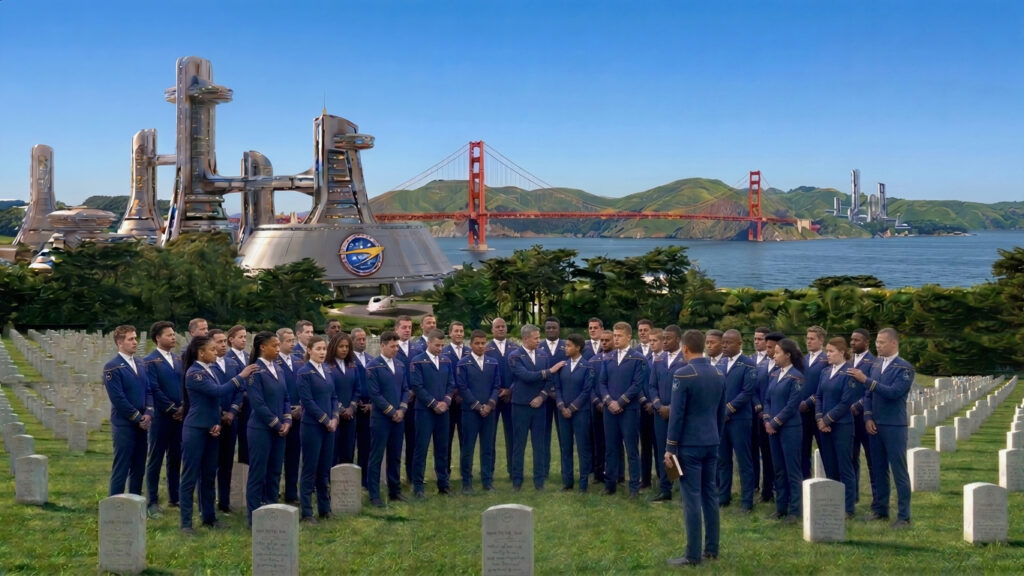
The blog is getting long again, so I won’t go into nearly as much detail on this shot. My assignment was to create a funeral at Starfleet Headquarters in San Francisco during the Romulan War. The funeral is for Stiles’ son Brandon.
I decided to skip Gemini this time and see how Kling would do generating a seed still image. I asked for an Arlington-like cemetery overlooking the Presidio and the Golden Gate bridge. Starfleet Headquarters and various futuristic buildings were on either side, and I uploaded the Earth Starfleet logo to put on the main building. After a few unusable renders (but only a few), I got this very pleasant render…
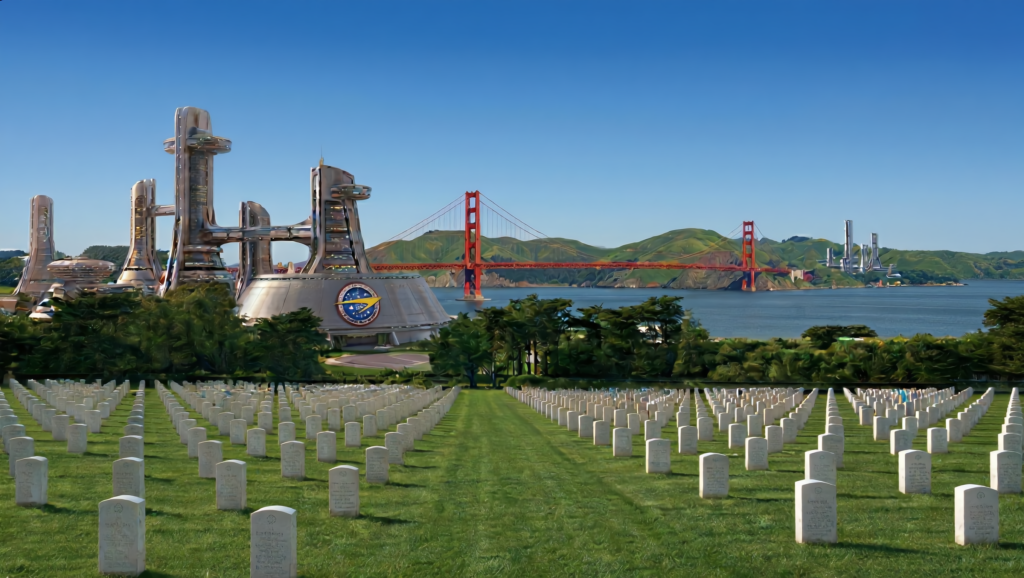
Mark and I both loved it, so now it was time to add some mourners. The attendees were to all be wearing Starfleet dress uniforms as seen in the ENT finale. We discussed including civilians, but I did’t really have a lot of reference for 22nd century fashion, so I decided to keep it simple and limit it to Starfleet personnel only.
I will say that getting Kling to render those uniforms and only those uniforms was like pulling teeth! Artificial Intelligence simply has too many different Starfleet uniforms to choose from and decided to insert various versions of 22rd and 24th century uniforms. Here’s one of MANY frustrating renders…
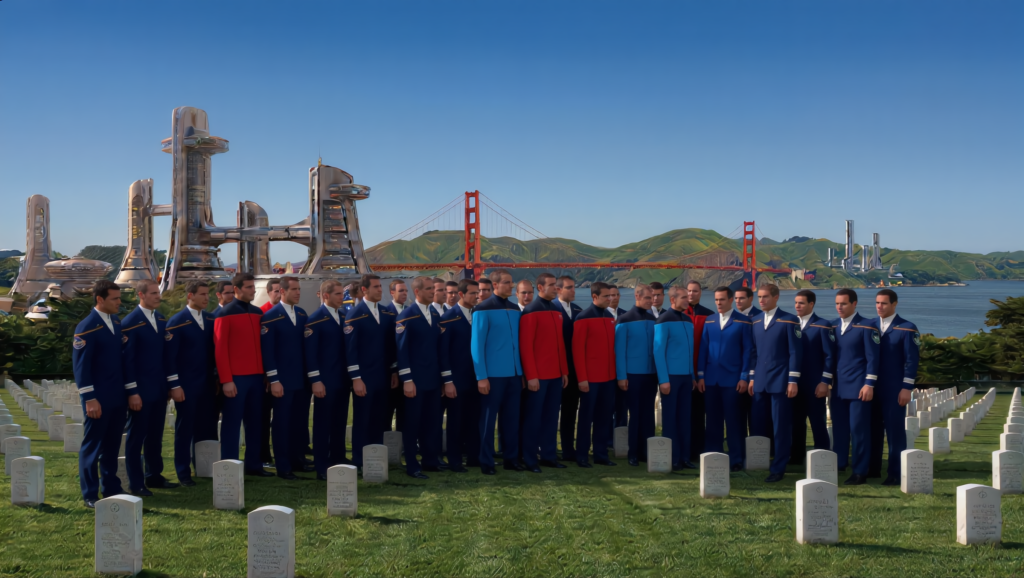
I should also mention that, no matter ho many times I asked for people of varying genders, ages, and racial ethnicities, Kling just kept giving me young white men! Eventually, I gave up. Kling just wasn’t getting it, and I was using up my monthly credit allowance. Maybe Gemini (which will generate 20-or-so renders a day for free) would succeed where Kling failed. And it did…
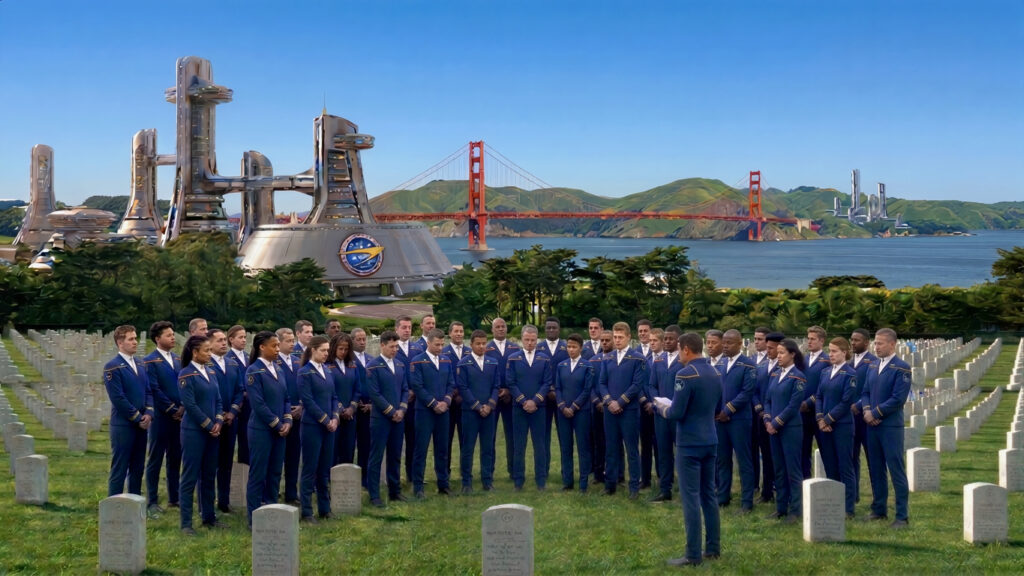
There was actually some subtle Photoshopping involved in that image. The original had everyone with the same number of rank braids and gold stripes on their shoulders. So I went in a varied their ranks and department colors. Easy-peasy.
Then Mojo told me about something he’d just done and I wanted to try. You upload a schematic image of an object like a spacecraft, and Kling will animate it for you. So I uploaded this image of a shuttlepod…
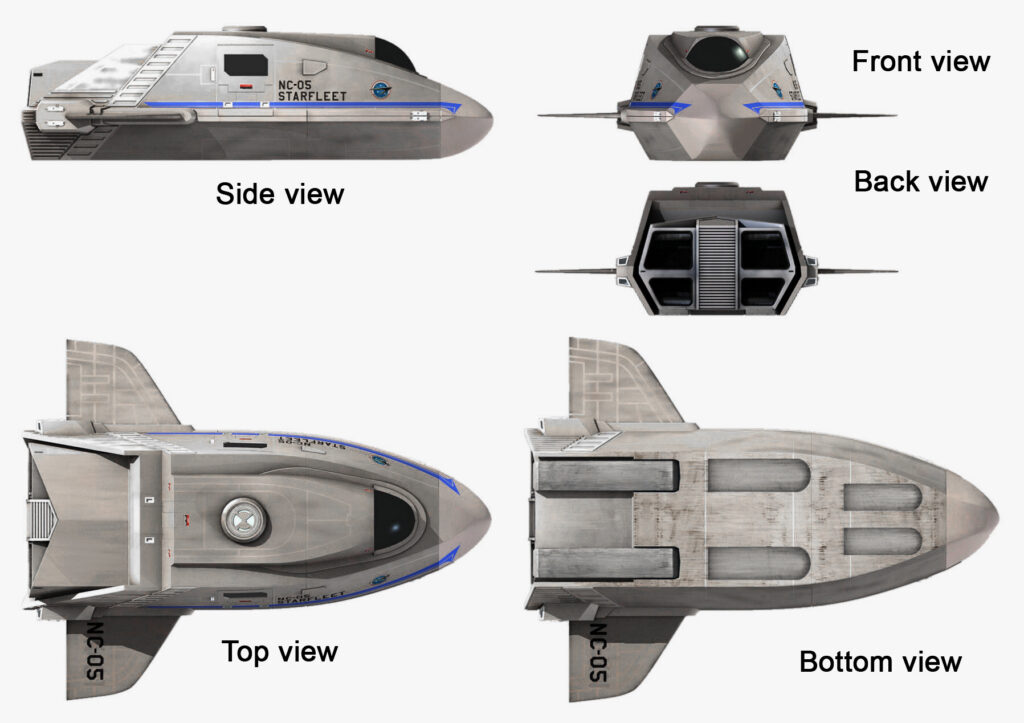
…and I asked Kling to add it to the video coming from the upper right corner to land in font of the main building. Ultimately, I needed to create a starting and ending frame to better illustrate what I wanted, but eventually I got this…
The dialog isn’t necessary, as this shot will include another voice-over in the final fan film. And the shuttlepod landing looked pretty impressive. But Mark and I both agreed that there wasn’t enough other movement. It looked like a still photo with a shuttle landing in the background. Also, what is going on with the tombstones on the far right? There’s two hills…weird.
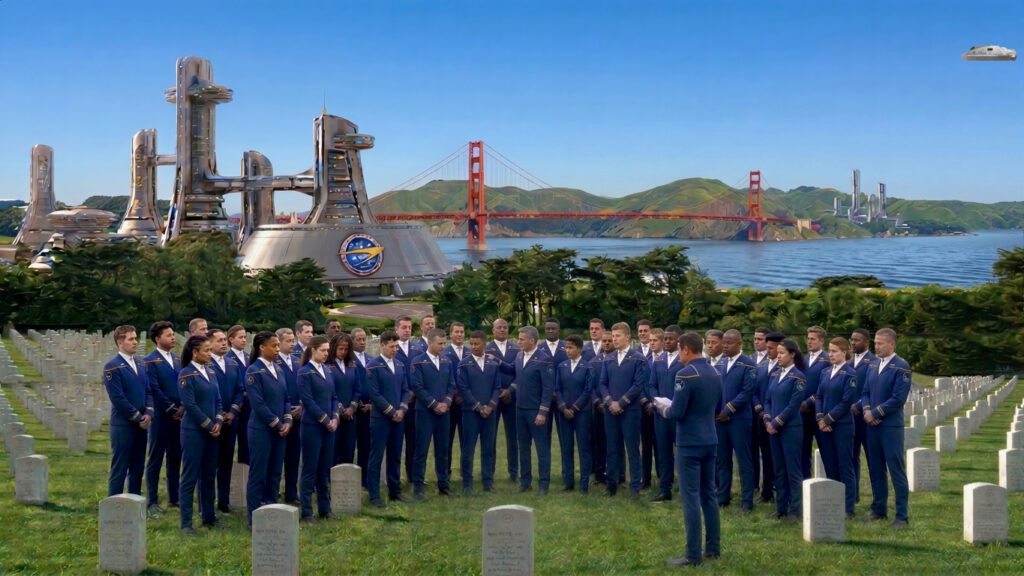
Kling was not able to make any of the people in the sequence move because the starting frame image and the ending frame image I supplied had everyone in the exact same positions. So they were essentially “frozen” in place (I was really beginning to figure out the idiosyncrasies of these AI applications.) No problem, though. I went back into Gemini and had that AI application put some hands on the shoulders of adjacent mourners and have some heads turn to look at other faces next to them. And I also made the person leading the ceremony put his book down at his side in the ending frame image. And finally, I added ripples to the water and fixed the hillside on the right. Here were my new starting and ending frames…
And here is the final funeral clip…
Not too shabby…!
So what’s next? Well, Mark hasn’t given me my next assignment yet, but I have started working on a new fan film short of my own using AI exclusively! It’s just an experiment to see if I can do it while also being a learning exercise. It’s looking good so far. It’ll be called CLEAR ALL MOORINGS.
In the meantime, AI keeps changing and improving. Kling Omni is supposed to be really good at keeping characters and settings consistent, and I’m planning to use it for my new all-AI fan film. On the other hand, Seedance 2.0 is issuing a new release that generates 30-second long video clips while everyone else maxes out at 15 seconds—talk about another game-changer!
Looks like I might have to start yet another monthly AI subscription…