
When I first decided to start doing deep dives into how I created the A.I. shots in my new Star Trek fan film NO ROOM FOR ERROR, I wasn’t sure how many parts this blog series was going to be. Nor did I really plan out which shots I would spotlight, as there are MANY in this fan film, which, if you haven’t seen it yet, you can take a look at it now…
Anyway, I started writing Part 3 thinking I would cover the next couple of A.I. shots. Instead, I covered only HALF of ONE shot. Oh, dear! At this rate, I’ll be writing this blog series until well into 2027!!
Oh, well. As I’ve said previously: you only need to read these “How I made…” blogs if you’re interested in the subject matter. Some folks out there might be interested in creating A.I. fan films of their own and could be curious how I created certain shots.
Okay, let’s finish off the sequence I was going through last time,as weell of Captain Matthews merging from the turbolift. When we left off, I had a somewhat decent shot where I combined two renders into one. They shared a midpoint image that looked like this…
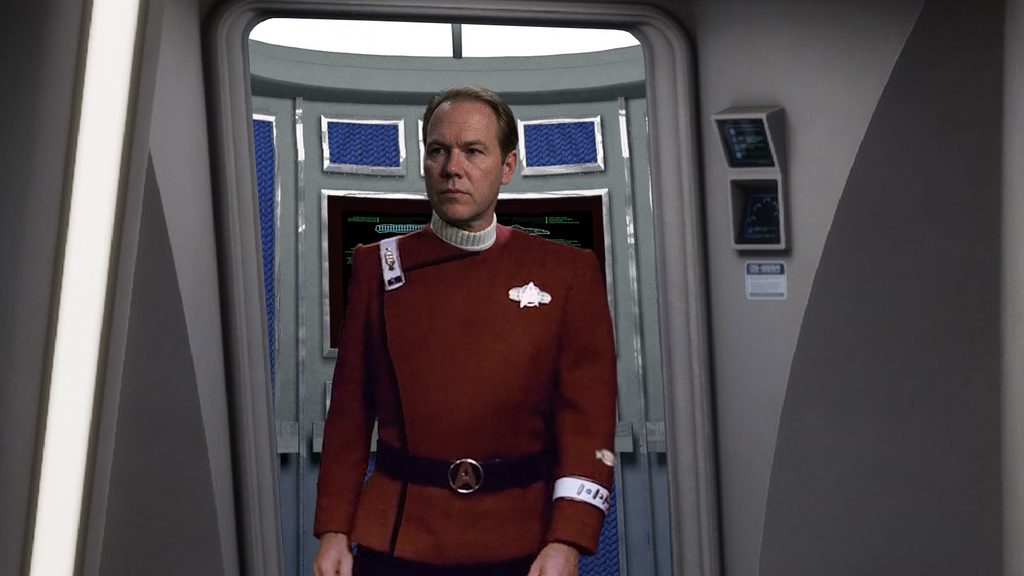
And when I combined the two renders into a single shot, I got this…
Not bad, but there were a few problems. First, there’s a slight but noticeable speed up in the middle where I stitched the two clips together. Second, the schematic at the back of the turbo starts to “freak out” behind Captain Matthews as he steps out of the turbolift. And third, the two crew members look totally wooden and unrealistic. Also, by this point in the production process, I had heard back from LEZLIE SAWYER, who agreed to appear as an A.I. character in the short film, and I wanted to put her in the chair on the right of the shot.
So it was back to setting up starting and ending seed images for me!
But this offered me an opportunity to profoundly shift the way I was approaching this project. In my previous blog, I mentioned how, with A.I., often the tail wags the dog. By this, I mean that the capabilities and eccentricities of A.I. often end up driving both the process and the goals. But I had learned enough through my struggles with this aborted first attempt at the turbolift shot that I decided that now I would start thinking like a director rather than just settling for whatever I thought A.I. could provide me with. This dog was going to start wagging HIS tail!
So what does that all mean?
A film director decides what the “feel” of each shot is going to be before it’s filmed: what message it’s trying to convey or emotion it’s trying to elicit. And I decided that the “feel” of this shot was going to be slow anticipation. This is the audience’s first impression of Matthews, and I wanted them to share the impact of the moment, the awe and the gravity of the captain stepping onto his bridge for the first time. We’d deconstruct Matthews and take him down a peg soon enough. But for now, this was a huge moment, and I wanted it to linger. Eventually, the moment would linger too long, and the viewer would get another impression of Matthews that he’s a little overwhelmed by all of this and taking in a bit too much of the situation. But for right now, we’ll let it play out like Kirk entering the bridge—and that meant a SLOW introductory scene.
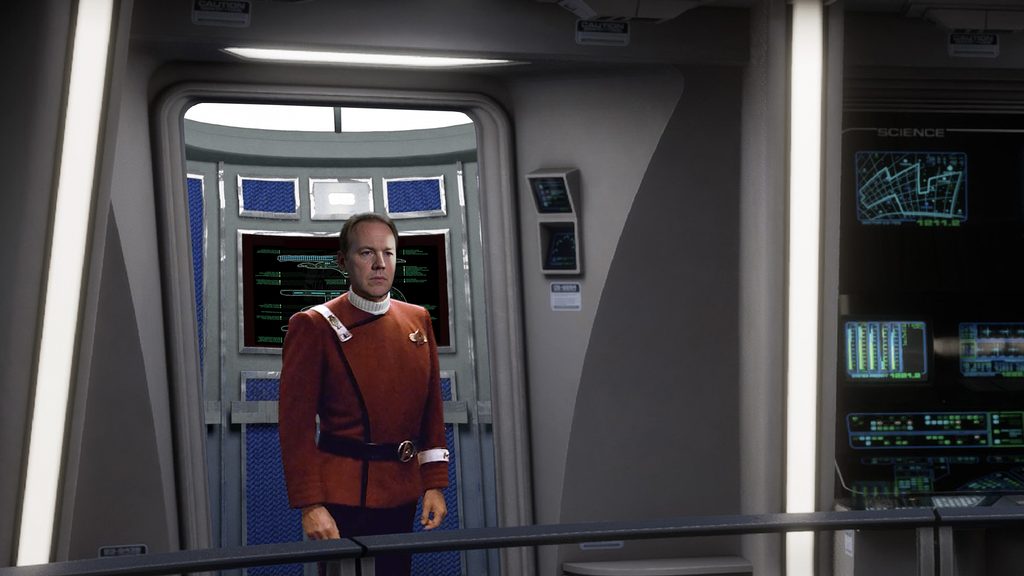
I also realized that I didn’t need Kling A.I. to control the zoom out for me. I had Adobe Premiere to edit with. And because I was outputting A.I. video in the highest (and most expensive in terms of tokens) 4K quality, I could render everything as a wider shot and then zoom in at the beginning using Premiere, slowly panning back to reveal more of the bridge. So I changed my starting seed image to a wider shot that looked like this…
Then I created my second seed image, which would end the first rendering and then later serve as the starting image of the second rendering. The new graphic had the exact same wider framing as the previous seed image but with Matthews stepping just a little bit forward (getting slightly larger and switching which hip was forward). And of course, since I was using Admiral Kirk’s entry from STII for each pose, I had to swap out the rank pins and remove the admiral piping—a minor hassle…
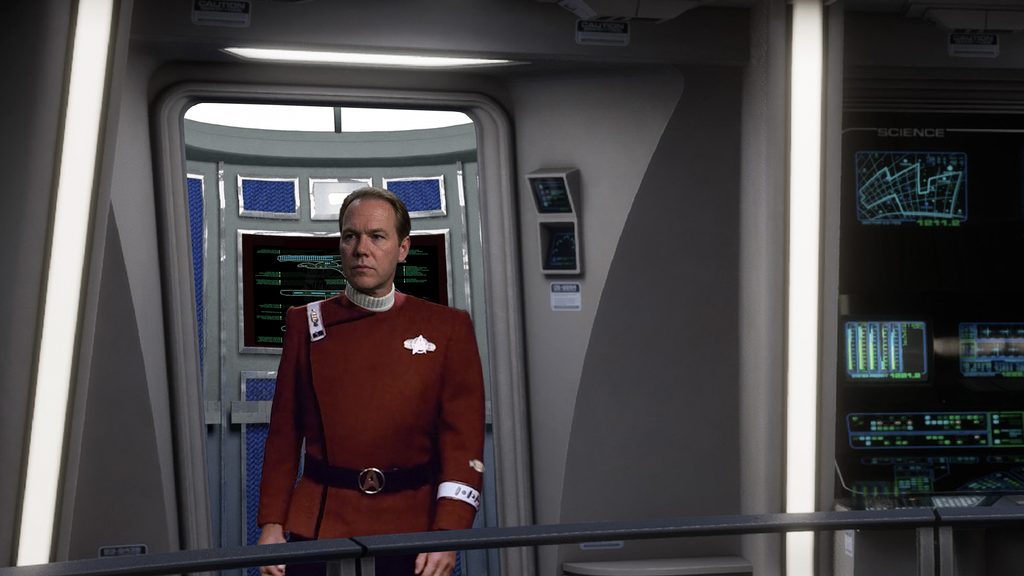
Having decided that the full sequence would now develop slowly, this first shot didn’t need to do much. It would last just 4 seconds, and my prompt was the following: “Captain Matthews of the USS BRISBANE NCC-5150 emerges from the turbolift. He takes one very hesitant step and then he takes two more steps with greater confidence. The image on the black panel behind him is static and should not change. It shows the schematic of a side and top view of the USS Excelsior.”
It only took two renders to get this usable result…
Note that the schematic inside the turbolift isn’t animating. There’s a reason for that which I’ll explain in a moment, but spoiler alert! It had NOTHING to do with my prompt.
My next seed image moved Matthews forward beyond the turbolift doors and closed them halfway. Why halfway? I discovered through error that Kling often hallucinates artwork and objects that aren’t complete in the final image. With Matthews partially obscuring the graphics on the doors in the ending image, I didn’t want to risk a series of unfortunate renders. Only later would I discover the concept of “binding” an element, which I’ll explain in a future blog. But for now, I was ignorant. Here’s the next seed image…
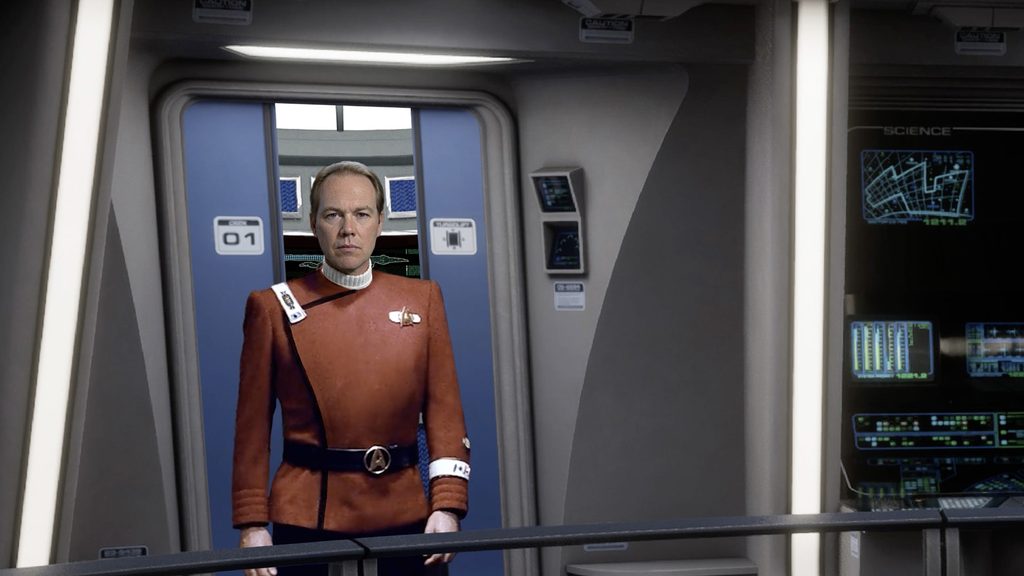
Also, as I said, I wasn’t aware yet that my background displays weren’t going to change in any way as they had previously. Why? This time I’ll tell you. When the starting and ending images have identical framings (no zoom in or out) and they also have identical background graphics, those graphics will NOT change or animate—no matter what you do! If the starting and ending states are identical, then even if your prompt says, “The displays in the background are active and animate,” they will stay stubbornly static. That’s just a thing. If you want background console displays to change in any way and your framing size is the same, you have to tweak your display graphics, even a tiny amount.
But I didn’t know this yet, and so I wrote my next prompt: “The black panel that is on the wall in the far back left behind Matthews is STATIC! It is NOT active!!! It does not change in any way. Captain Matthews takes two more steps forward, and as soon as Matthews clears the turbolift, the doors begin to slide closed behind him. There will be a continuation shot after this one where the doors complete their closing motion, so do NOT slow down the doors at the end of this shot.”
Again, it didn’t take many tries to get something I could use…
With the scene unfolding at a slow, gentle pace, I decided to simply have the doors shut with yet another 3-second render (the minimum that Kling allows). This was my next seed image, with Matthews looking to his left…
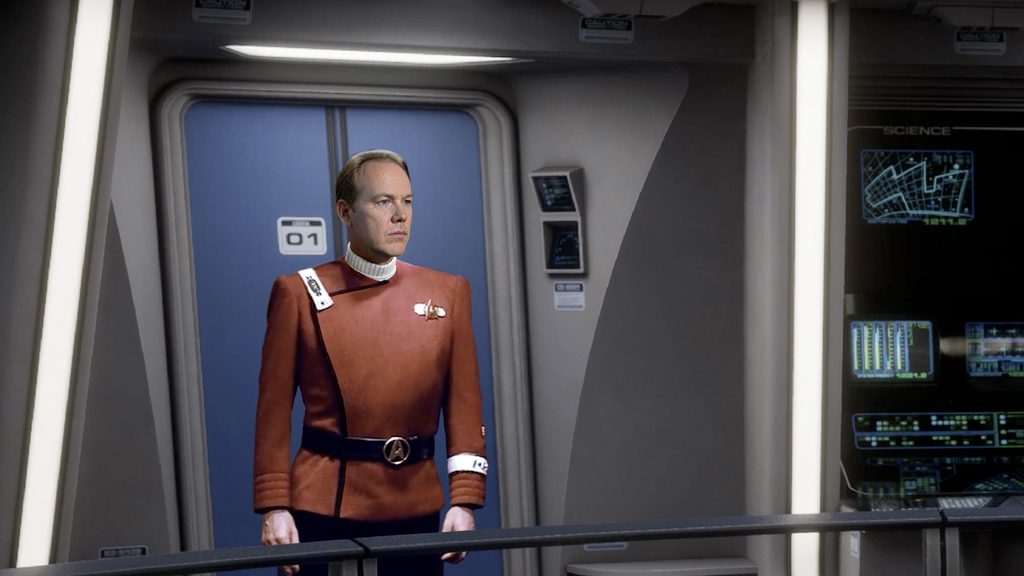
Again, I didn’t need more than a few renders to get something decent (notice the displays on the right don’t animate at all)…
But then I realized that I’d accidentally painted myself into a corner! This was my next seed image, introducing Lezlie’s character as well as the navigator (who was not yet rendered as GLEN WOLFE)…
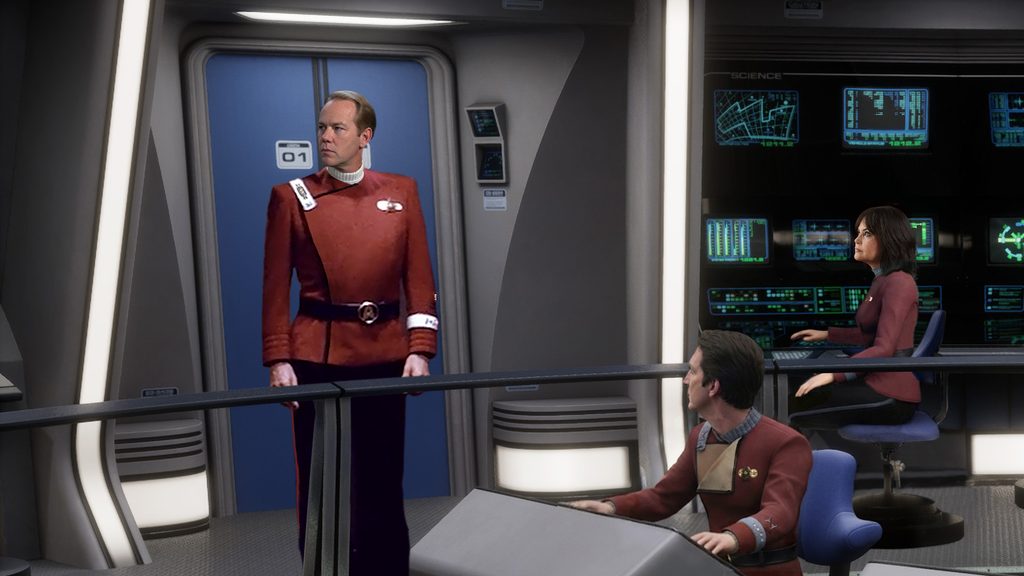
Obviously, this was now a zoom out to a wider frame. Why wasn’t the shot this wide from the beginning? Because I didn’t have the bottom of the turbolift, and I didn’t have enough of Kirk’s lower body in those first few seconds of him emerging from the turbolift in STII. So this was my first opportunity to “go wide.” But I hadn’t realized that my first few seed images were wide enough that the head of the navigator and the hand of the communications officer should have been visible the entire time. What I’m trying to explain is best summed up by watching the next rendering. Take a look and weep…
Hoisted with my own petard! The two bridge officers just kinda “beam in” to their seats. And I only needed two render attempts to realize that this particular barnacle wasn’t about to come off. I needed a different solution.
Unfortunately, I really, REALLY liked my previous renders and didn’t want to go through everything again trying to recreate “perfection.” My final solution was, shall we say, unique. I took the renders that I’d already made and imported them into Adobe Premiere, merged them into a single uninterrupted shot, exported that, and then I re-imported it. With a single non-zooming clip, I now set a starting and ending zoom amount for the new clip. The ending point became my new starting seed image…
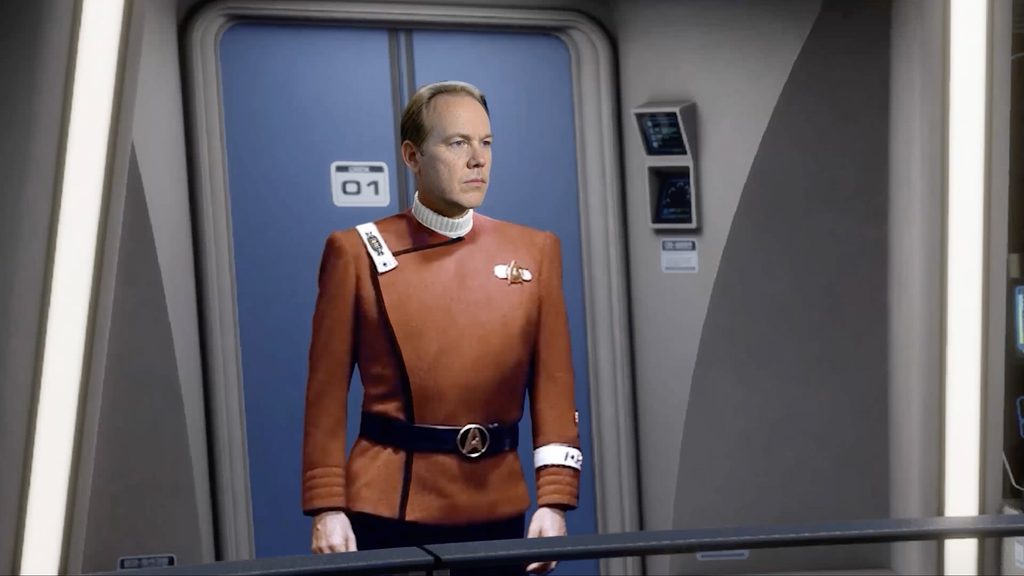
Note that now we’re tight enough so that almost none of the console station is showing, and the navigator is completely off screen. I wrote the following prompt using this as the starting image and the previous wider shot as the ending image: “The camera continues to zoom out, revealing two members of the bridge crew. Both seated officers are waiting for Captain Matthews to address them. They sit still, both of them static and in the same place, watching him and blinking occasionally as they wait. Captain Matthews also does not move except to turn his head and shift the weight on his feet slowly. The display in the background is active but slowly changing, not fast. The ship is parked in dry dock, after all. Meanwhile, Captain Matthews is just taking in the scene, looking calmly and pensively around the bridge at his new crew.”
It only took me two attempts to get a wonderful 4-second conclusion to the sequence…
Only one thing still bothered me, and it actually ended up bothering me for several weeks until I figured out how to solve the problem. Take a look again at the first few seconds of the sequence, which I’ve purposefully zoomed in to show the schematic behind Matthews as he starts exiting the turbolift…
Because Matthews is partially blocking the starship schematic and Kling has no idea what the full schematic looks like, the A.I. algorithm has no choice except to guess—known colloquially as “hallucinating.” And as you can see, the algorithm is not a Trekkie. I had already removed the “USS BRISBANE – NCC-5150” from the original schematic…
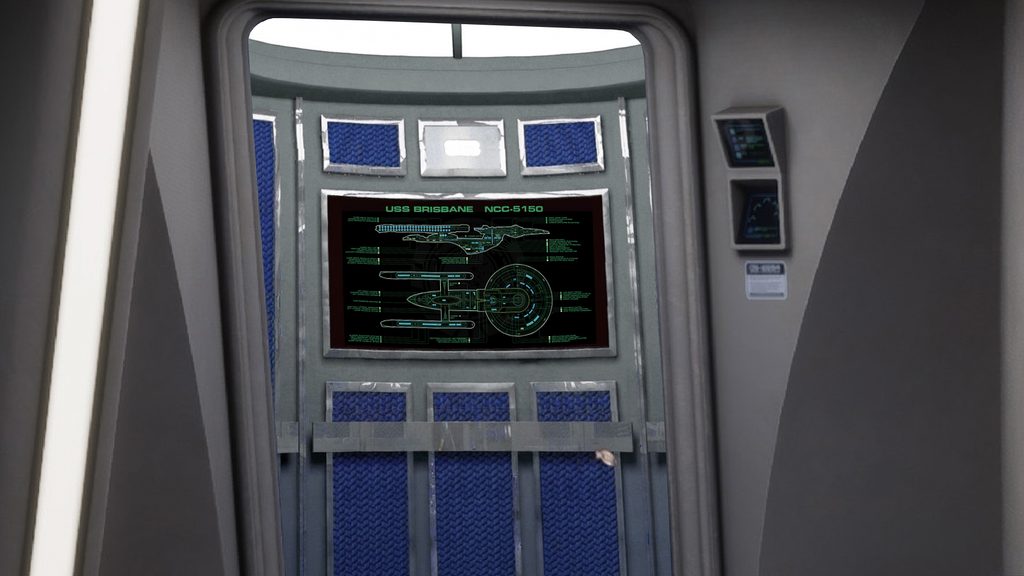
…as the random letters, numbers, and undecipherable symbols that Kling hallucinated were very noticeable, while the slight inconsistencies of the starship schematic weren’t as distracting. Nevertheless, the issue continued to gnaw at me each time I watched a new render of the latest iteration of the project. The schematic just wasn’t a correct Excelsior-class starship. But what could I do? A.I. had given me its best guess, and I had a very decent sequence; I just needed to accept the hallucinations.
Or did I? One fine day it hit me: USE A.I. TO FIX A.I.!
Remember when I said in Part 2 that Kling allows you to upload a video and make adjustments to it? This time it was both easy and peasy! I exported the entire 14-second sequence of Matthews leaving the turbolift as a single video, uploaded it to Kling. Then I also uploaded a full schematic image (including the words “USS BRISBANE – NCC-5150”)…
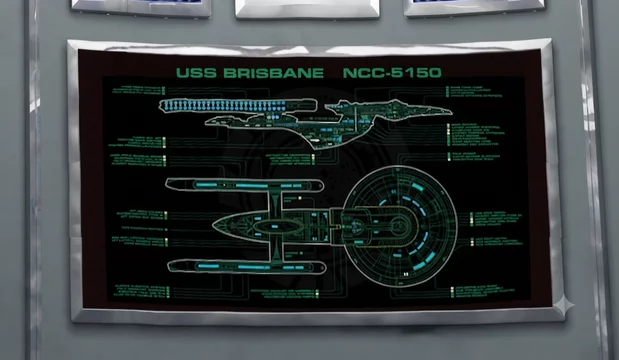
My prompt was simple: “Change the graphic that appears on the back black panel behind Captain Matthews to the schematic shown in Image1. Pay close attention to keeping the words USS BRISBANE NCC-5150 constant and consistent through the entire shot. Change nothing else about the video, its motions, or its geometry. However, adjust the zoom out and panning to be a smooth motion from beginning to end.”
And this was the final sequence…
And that seems to be a good place to end this blog. Hope you enjoyed it (assuming you read it).
Next time, Captain Matthews speaks his first words! And Jonathan learns about lip sync.