
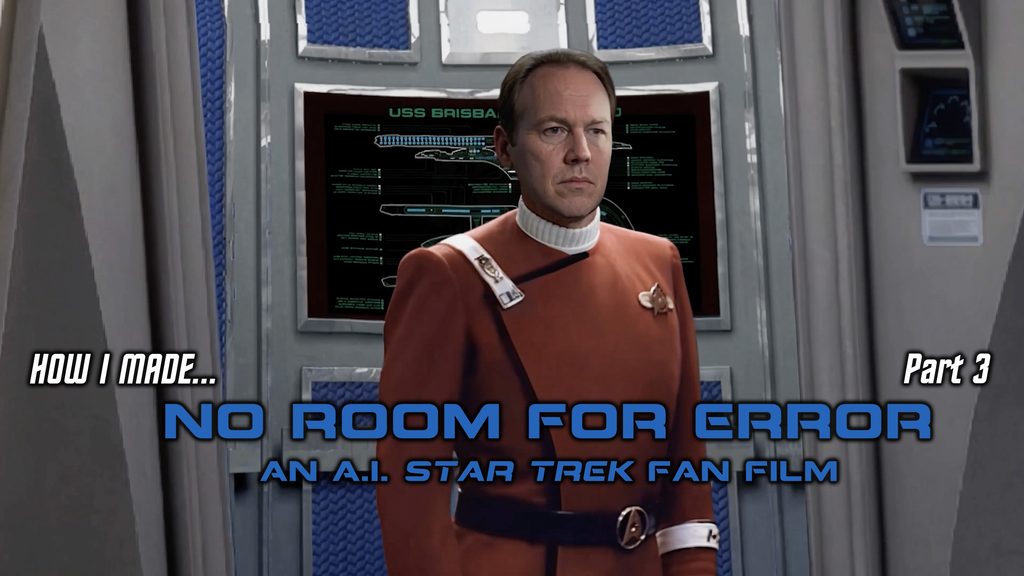
In Part 2, I started taking a deeper dive into how I made NO ROOM FOR ERROR, my first-ever all-A.I. Star Trek fan film. If you haven’t seen it yet, take a look…
There’s a tiny bunch of negative nellies on Facebook dismissing this fan film as “A.I. slop,” which seems to be a catch-all phrase like “woke” that has no specific meaning beyond “it’s something I don’t approve of.” But one of the implications of the term “A.I. slop” is that you just fed a prompt into an A.I. engine and let the algorithms do all of your work for you.
While that might be true in some cases, for those of us pushing the limits of A.I.—and I think this fan film does that to an extent—a LOT more goes into this process than just writing a prompt. And this series of blogs is intended to not only show how much more but also to help and possibly inspire others who are tackling the challenges of A.I. and might learn from some of the things I figured out.
Today, I’m going to do a deep dive into how I created the sequence of Captain Matthews emerging from the turbolift…
Although this shot lasts for only 14 seconds, it took me weeks to complete!
As often happens with A.I. shots, the tail ends up wagging the dog. What I mean by this is that beggars can’t be choosers, and you have to start with the resources that are available. Fortunately, thanks to THE RODDENBERRY ARCHIVE (by the way, I did reach out to TREVOR ROTH at Roddenberry Entertainment about this project, and he is aware of it) and their amazing Hard Surface Artist DONNY VERSIGA, I had beautiful and intricate renderings of the U.S.S. Excelsior bridge from a myriad of angles. But if I wanted to use the highest quality of those renderings, I had limited choices of angles. Granted, there were still plenty of renders available, but if I wanted someone to emerge from the turbolift, for example, this was the image I had to work from…
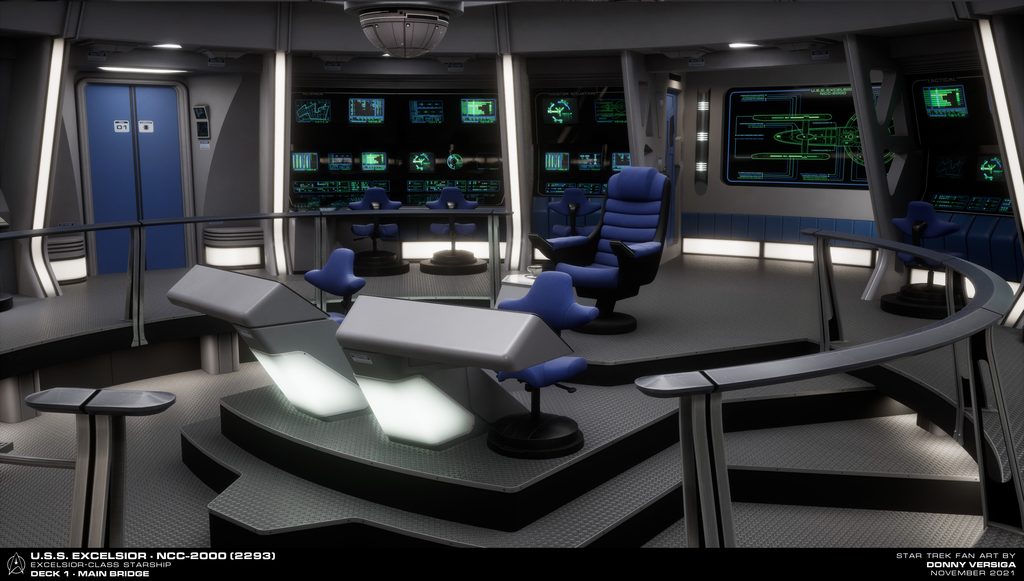
I won’t go into too much detail yet about how I populated the bridge with Starfleet personnel, but I will say that the fact that the chairs at the consoles in the back were pushed in and not pulled out caused me no end of consternation as I tried to put officers and crewmen into them! Fortunately the short sequence on the bridge of the U.S.S. Excelsior from the beginning of Star Trek VI: The Undiscovered Country provided me with a very convenient way of dropping in both a helmsman and navigator, as well as two crewmembers behind the captain’s chair…
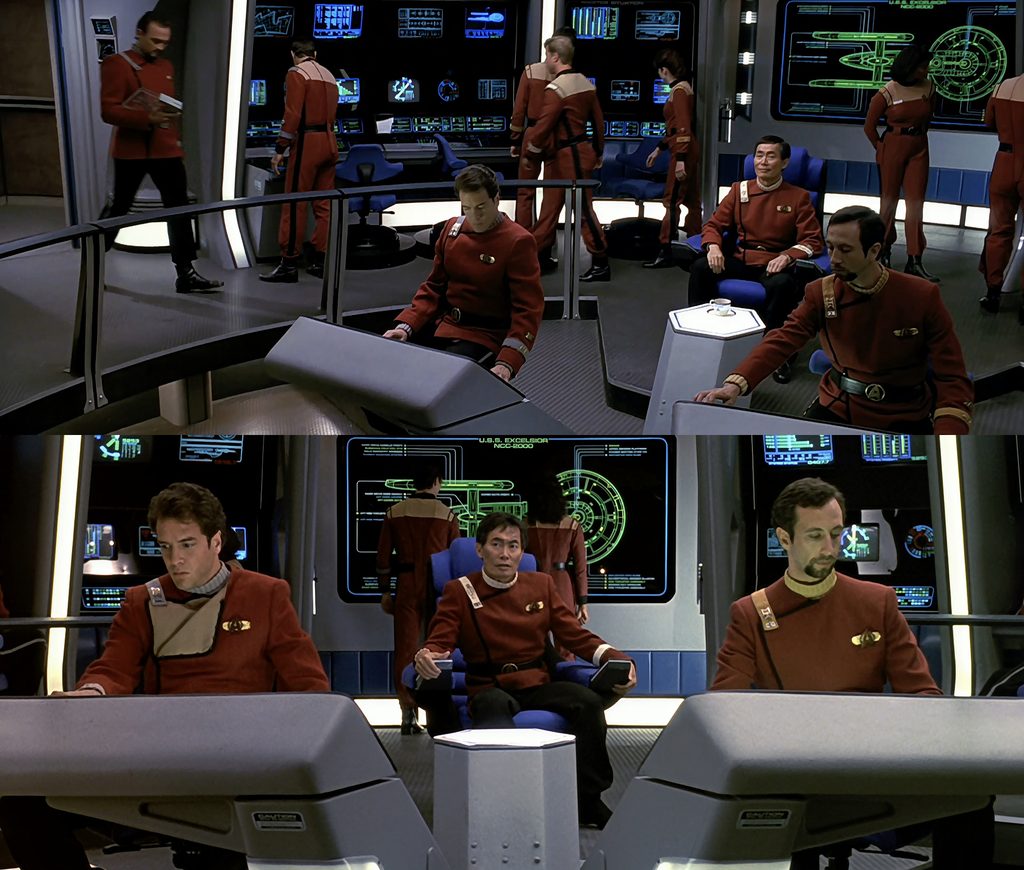
In fact, I daresay that, if it weren’t for those three minutes of Excelsior footage from the beginning of STVI (and elsewhere in that film) and also from STII, I’d have never been able to make No Room for Error in as little as six months.
Anyway, let’s start going through the process of getting Captain Matthews to walk out of the turbolift…
As I’ve said previously, the general workflow for generating an A.I. video sequence is to first create still images (at least a starting one, and optionally an ending image) and then to render out a video. Sound and speech are usually added either during or after the video render, and finally—if using an A.I. speech synthesizer like ElevenLabs—to do a lip sync pass on the shot.
But before any of that can happen, you first need to plan out your shot. What angle(s) do you want? What characters are in the shot? What motions happen? Since the majority of my clips could last no more than 15 seconds (the maximum length of shot Kling A.I. can render), I didn’t have to plan out much, but I still needed to know what I would ultimately need.
Fortunately for me, this next shot was continuing the homage to Star Trek II: The Wrath of Khan that No Room for Error begins with. And that meant a shot similar to Admiral Kirk walking onto the bridge…
Now, some might imagine that you can just tell A.I. to remove Dr. McCoy, change Kirk’s rank from Admiral to Captain, change Kirk’s face to someone else, and change the bridge and turbolift to that of the USS Excelsior. If only it were that easy! Instead, my work was cut out for me.
The first thing I did was to zoom in on the area of the Excelsior bridge image that I would be using…
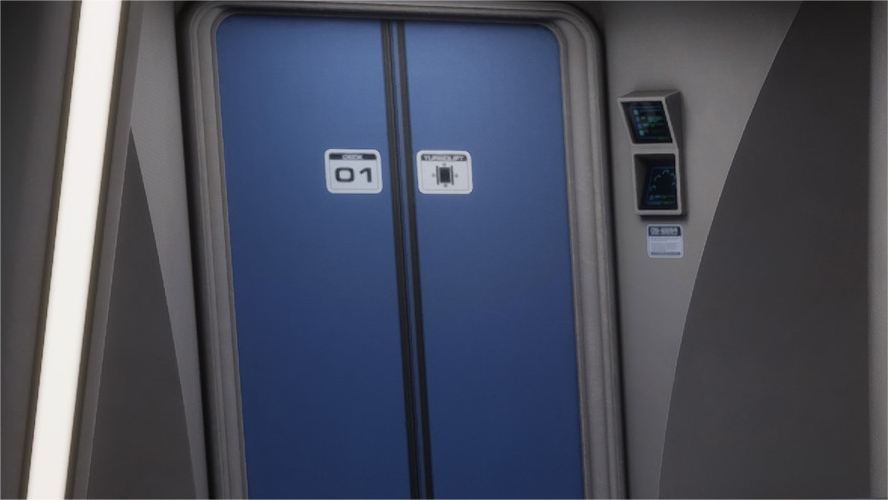
The reason that I zoomed in so much is that I was planning to use Kirk’s emergence from the turbolift as my seed image, and the camera starts pretty tight in on him, cutting off just below the hips. So I went in just as tight. But of course, I needed the turbolift doors to be open! The image from The Roddenberry Archive didn’t offer an open turbolift.
However, this is the Internet, and Star Trek‘s sixty-year history means you can find almost any reference you need via Google and a little persistence/patience. And thus was I able to find a 3D rendering of the inside of the STII Enterprise turbolift (image on the left below)…
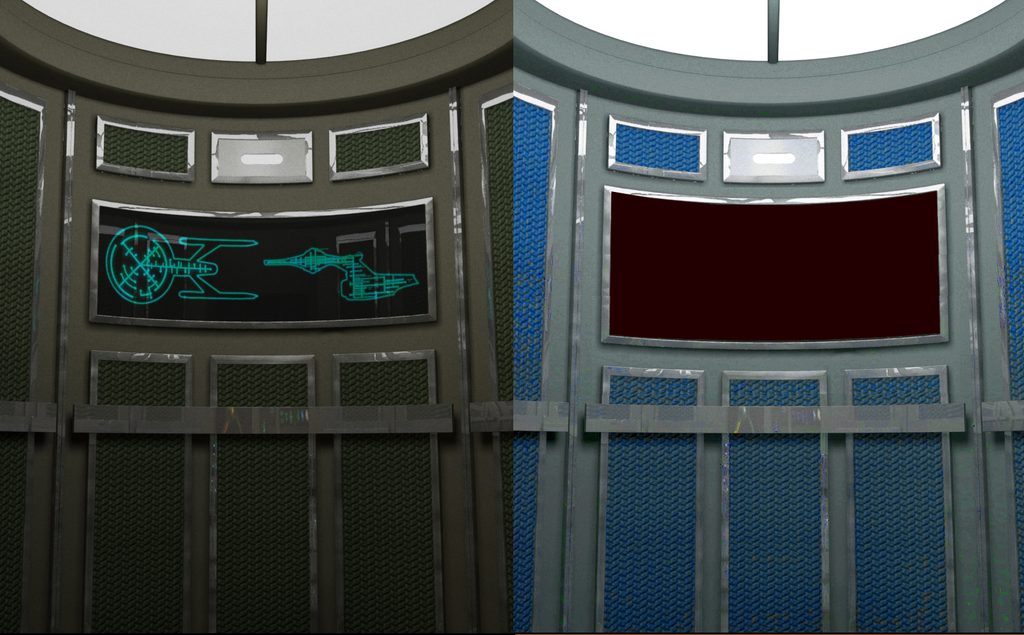
It didn’t take long in Photoshop for me to adjust the lighting, alter the color scheme to blue (to match the bridge), and widen the back display panel (along with turning it black) in preparation for adding a schematic of an Excelsior-class starship, which I also found on the Internet and updated the ship name and NCC number…
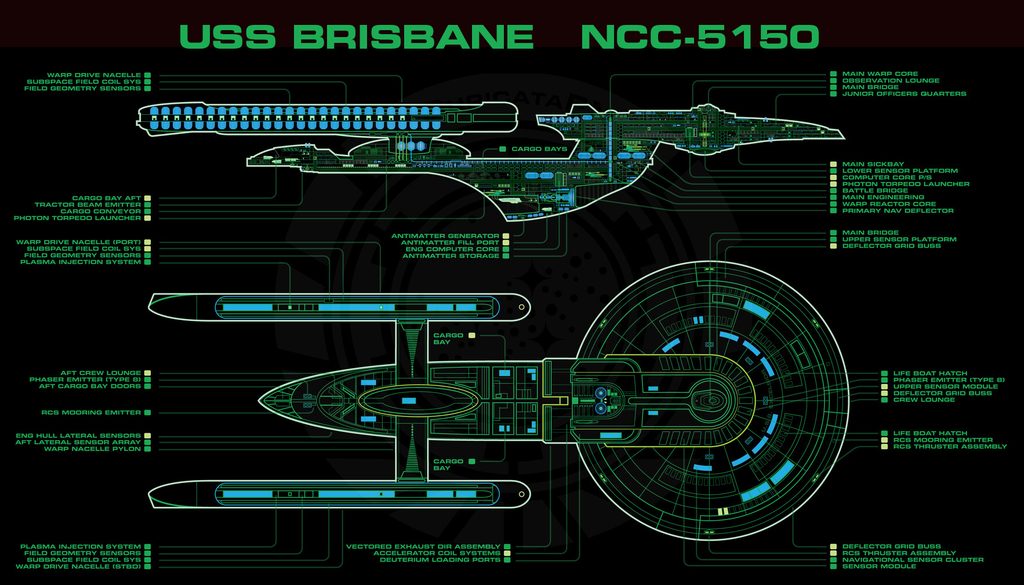
Without ever needing any help from A.I., I was able to produce the following graphic to seed the background of the starting image…
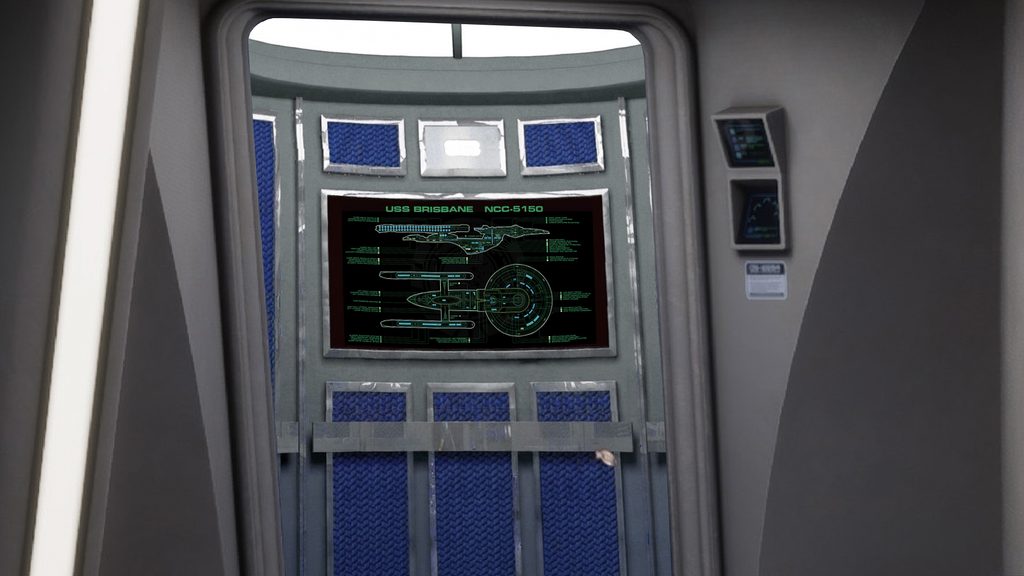
You’ll notice that I had to flatten the curves a bit, and I darkened the blue panels. And if you look carefully, the perspective doesn’t quite work perfectly. But viewers see the interior for maybe 5-7 seconds, and Captain Matthews blocks most of it. In fact, I bet if you hadn’t seen the above graphic, you’d never have caught the “imperfection” at all!
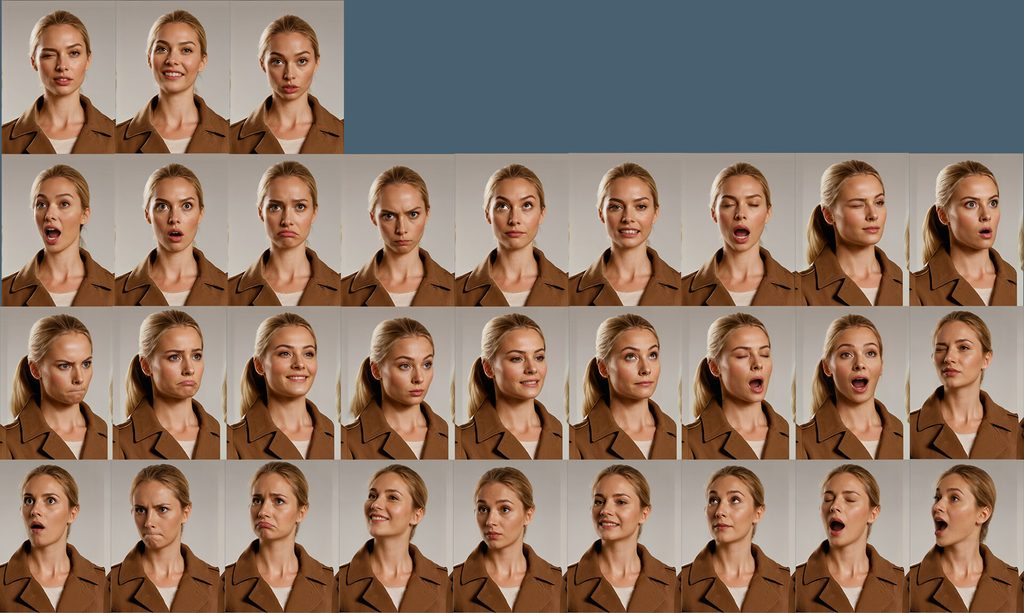
Next up, I needed to finally create Captain Matthews and then insert him into the above graphic as a starting seed image. I discovered only much later in the process that most A.I. producers create something called a character sheet to train the A.I. Here’s a sample of one that I found on the Internet…
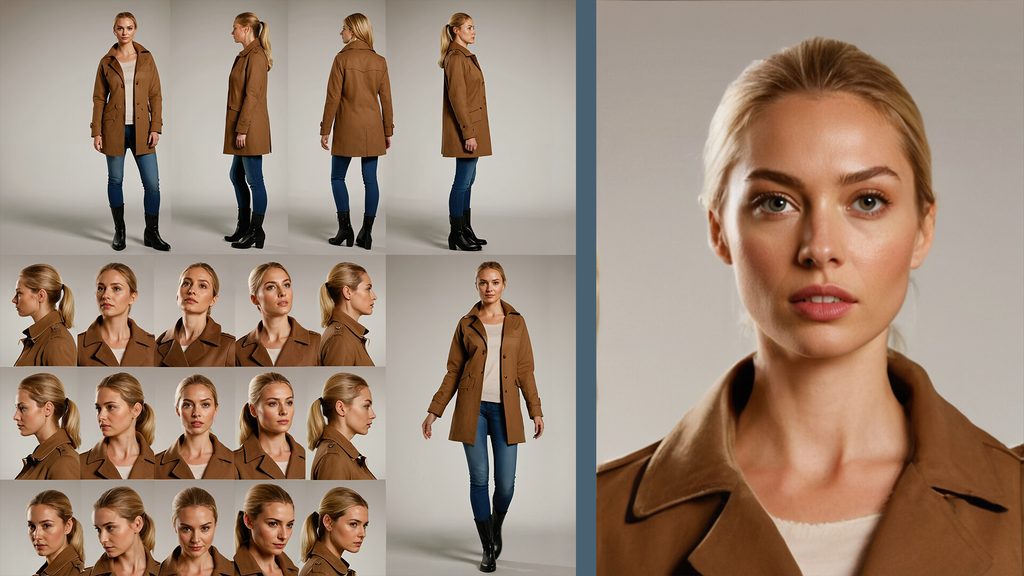
Even though I didn’t create a full character sheet for Captain Matthews, I did work with Google Gemini to create a single base image of his face and bust. I worked from a STIII: The Search for Spock screen cap of Captain Stiles (also an arrogant commanding officer), asking the A.I. to create a middle-aged, hairline-receding, stern-looking Caucasian male. I went through several attempts before landing on the fellow who became my captain-from-the-land-down-under…
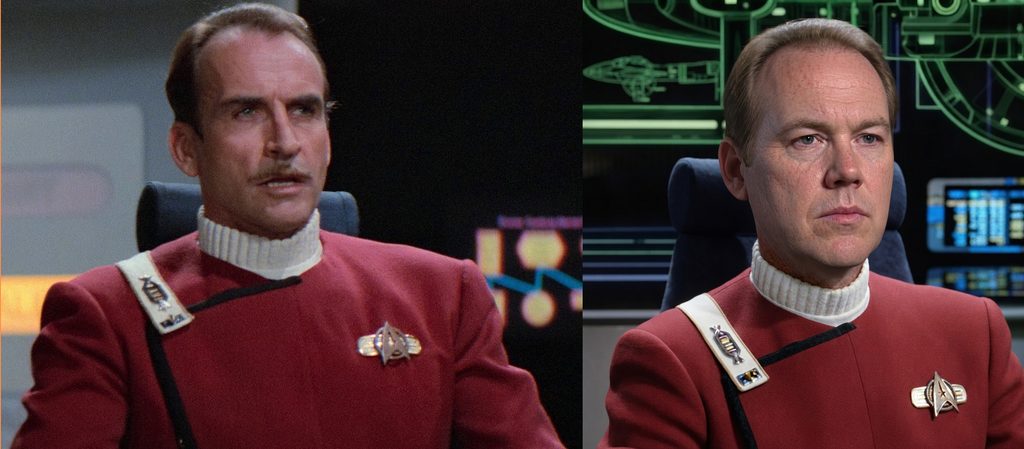
The image on the right became the starting point for nearly every seed image I’d later create for Captain Miles Matthews of the USS Brisbane…beginning with him coming out of the turbolift.
Because I already had a great “emergence” of Kirk walking out of the turbolift, I decided to take a few screen caps from STII, erase the original background from around Kirk, and drop him (resized) onto my open turbolift background. This produced the following starting and ending seed images…
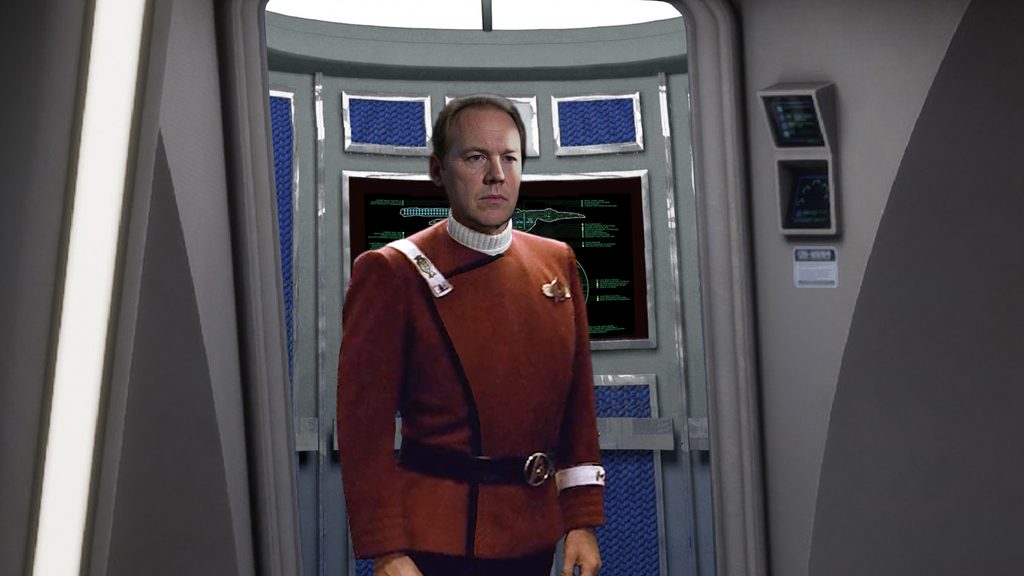
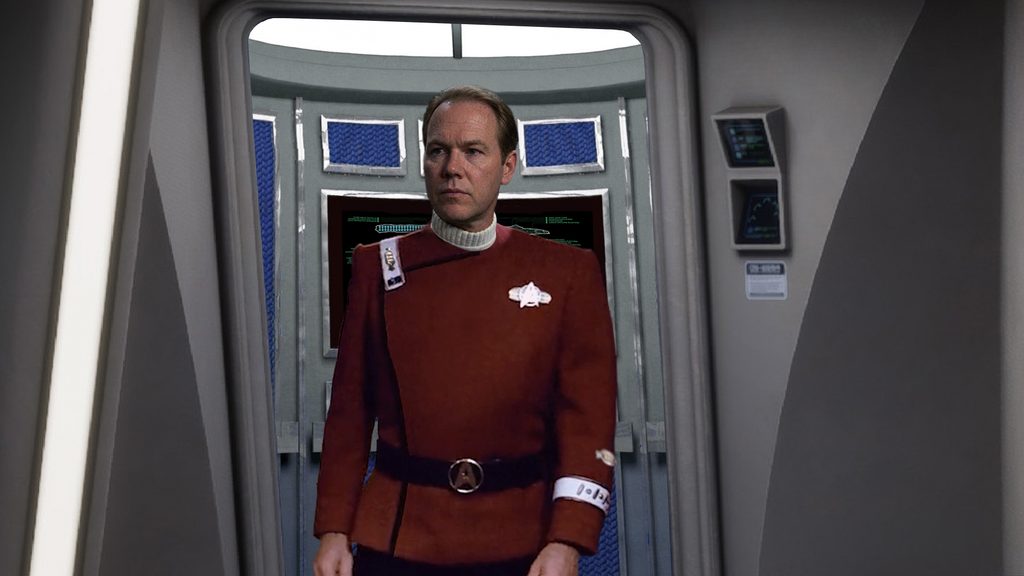
Note that, not only did I need to replace Kirk’s face with Matthews’ face, but I needed to change the rank pins on the shoulder strap and sleeve, remove the decorative admiral’s braid from just above the white armband, and also remove the gold piping from the black stripe on the front of Kirk’s admiral’s uniform. But while a bit of a hassle to do multiple times, they were fairly simple adjustments in Photoshop. I was also able to subtly increase Matthews’ size as he emerges to let the A.I. know he was walking toward us and not just shifting his balance from one foot to the other. I felt very much in control of this render.
So now I was ready to tell Kling what I wanted. My prompt was the following: “Captain Matthews of the USS BRISBANE NCC – 5150 emerges from the turbolift. He takes one very hesitant step and then he takes two more steps with greater confidence.”
This produced some really good renders….
…and some more problematic ones…
Some of the issues with the second example were his mouth moving at the beginning of the shot and the animation of the schematic display behind Matthews before he takes a step. (We know those don’t animate.) A.I. renders are always unpredictable, and ultimately, I made a dozen of these nearly identical 5-second clips, not yet realizing how quickly I was eating through my credits!
Extending this shot was, of course, quite simple. My ending image from the first clip would become my starting image for the following clip. So I created the next step in the animation, again using a cutout of Kirk with Matthews’ head and beginning to zoom out slightly to reveal more of the bridge, as well as the head of the navigator. I also began closing the turbolift doors…
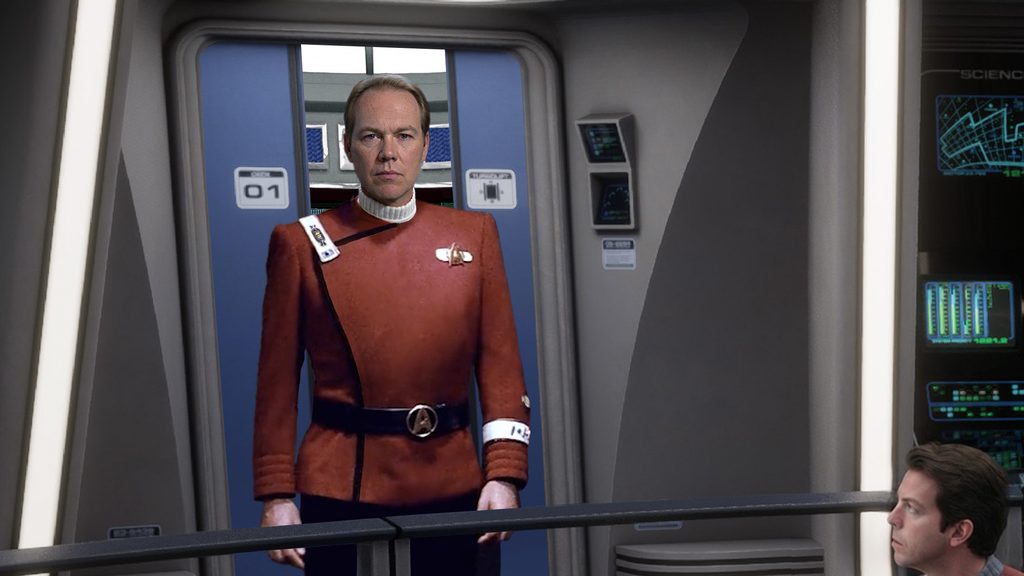
My prompt was, “Captain Matthews takes two more steps forward as the camera pans back to reveal more of the bridge. All displays are not active. As soon as Matthews clears the turbolift, the doors begin to slide closed behind him. There will be a continuation shot after this one where the doors complete their closing motion, so do NOT slow down the doors at the end of this shot.”
And I got this…
You might think that looks decent, but the display at the back of the turbolift kept animating. Eventually, after writing prompt after prompt telling it the display was NOT active, I wrote the following in desperation and added it to the prompt: “For the love of God, DO NOT CHANGE THE BLACK PANEL INSIDE THE TURBOLIFT! It is NOT active!!!”
And it still didn’t work.
Then I realized there was yet another problem. I needed the camera to pull out even more, so this was my next ending seed image…
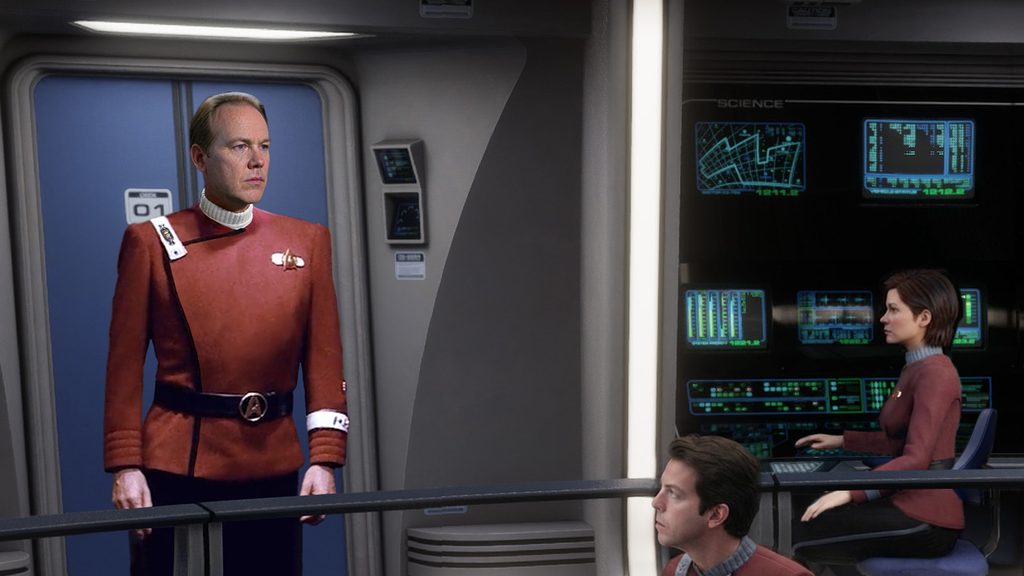
I added the communications officer on the far right (yes, I realize now her station says “science”). But as Kling provided a couple of renders, I realized that the pull out was going to include a stop and start again just as the doors closed halfway…
That stutter would look awful, so I decided instead to just go from the second image directly to the fourth, hoping that Kling would figure out how to slide them shut. I wrote the following prompt: “The back black panel of the turbolift on the left side of the image shows a static display of the ship’s schematic. Captain Matthews takes three steps forward as the turbolift doors quickly slide shut as the camera pans out to reveal more of the bridge. The zoom out is happening evenly throughout the entire scene. He then remains still as he surveys the bridge crew. No one says anything, including Matthews. Displays on the right are active.The woman on the right starts off looking at her console. Her back is facing us. She turns in her chair to face Matthews just as she begins coming into view. The male officer at the bottom is already looking at Matthews when that officer first appears on screen and he does not move the entire time other than the occasional eye blink.”
Wow, that was an unnecessarily loooooong prompt! Anyway, I got this…
…and hated it. The rear display was still animating, the comms/science officer was frozen, and I began to realize that any more pulling back of the camera was going to have that same stutter.
So how did I fix it?
Wow, I didn’t realize this blog was getting so long! Let’s come back next time to learn how I turned this mess into the really nice introduction that appears in the final version.